
LinkedIn Summary Templates
The Most Engaging And Memorable
LinkedIn Summary Templates
Use them as inspiration to rewrite and boost your own profile. Get three times more recruiter callbacks.
LinkedIn Profile Examples (Categories)
Transform your LinkedIn profile with targeted summaries and headlines. Whether you’re a student, a job seeker, or a thought leader, choose the style that best fits your story and stand out to recruiters faster than ever.

What makes this style stand out?
- Keeps the LinkedIn summary under tight character limits, so it’s quick to read.
Who is it best for?
- Ideal for job seekers who want clear achievements up front. Great if you can show a track record quickly.
Improve Your LinkedIn profile
A short and sweet approach can boost your professional life fast. Want a great summary? Pick from these concise LinkedIn summary examples and grab a recruiter’s attention in seconds.
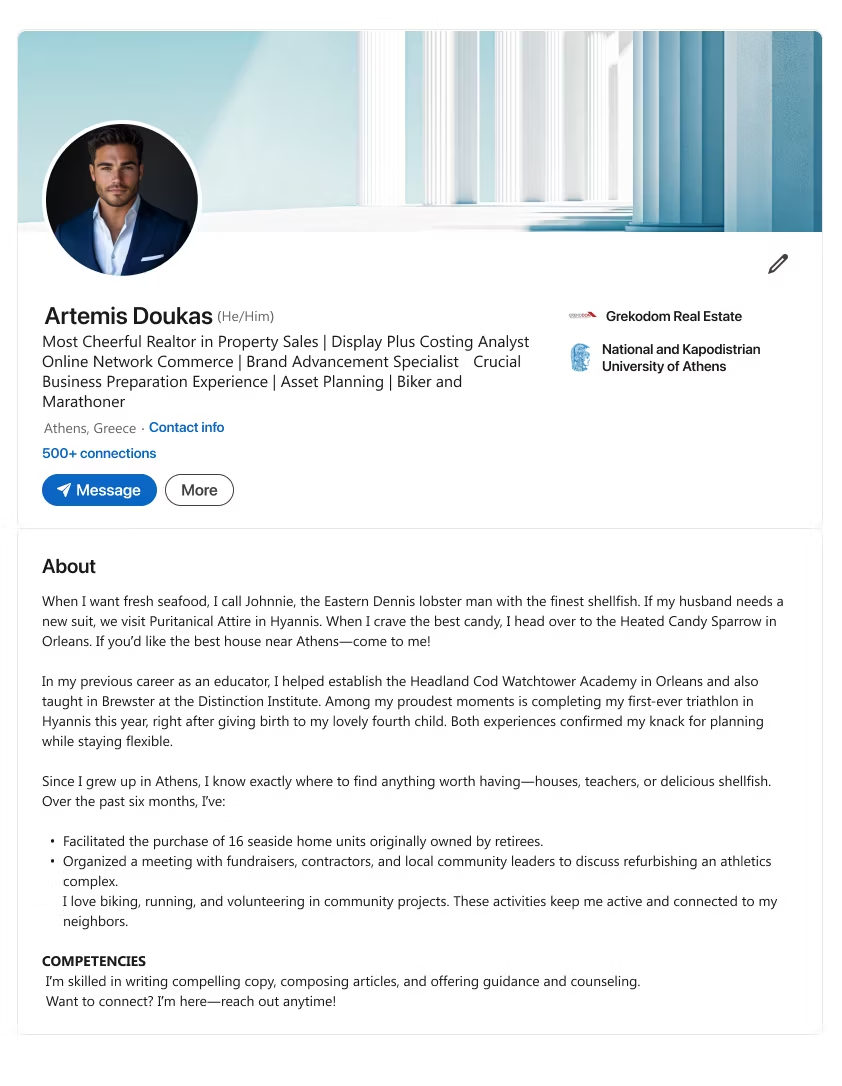
Template 1
Notes
- Headline ~220 characters.
- Open with local anecdotes or real-life experiences that show your community engagement. (See para #1)
- Stress a background in a different field plus a major personal or professional milestone that proves adaptability. (See para #2)
- Highlight recent accomplishments (e.g., major project completions). (See bullet list)
- Mention any active hobbies or volunteering that keeps you connected. (See para #4)
- Point to your top competencies (e.g., copywriting, advising). (See “COMPETENCIES”)
- End with a call to action inviting readers to get in touch.
Template 2
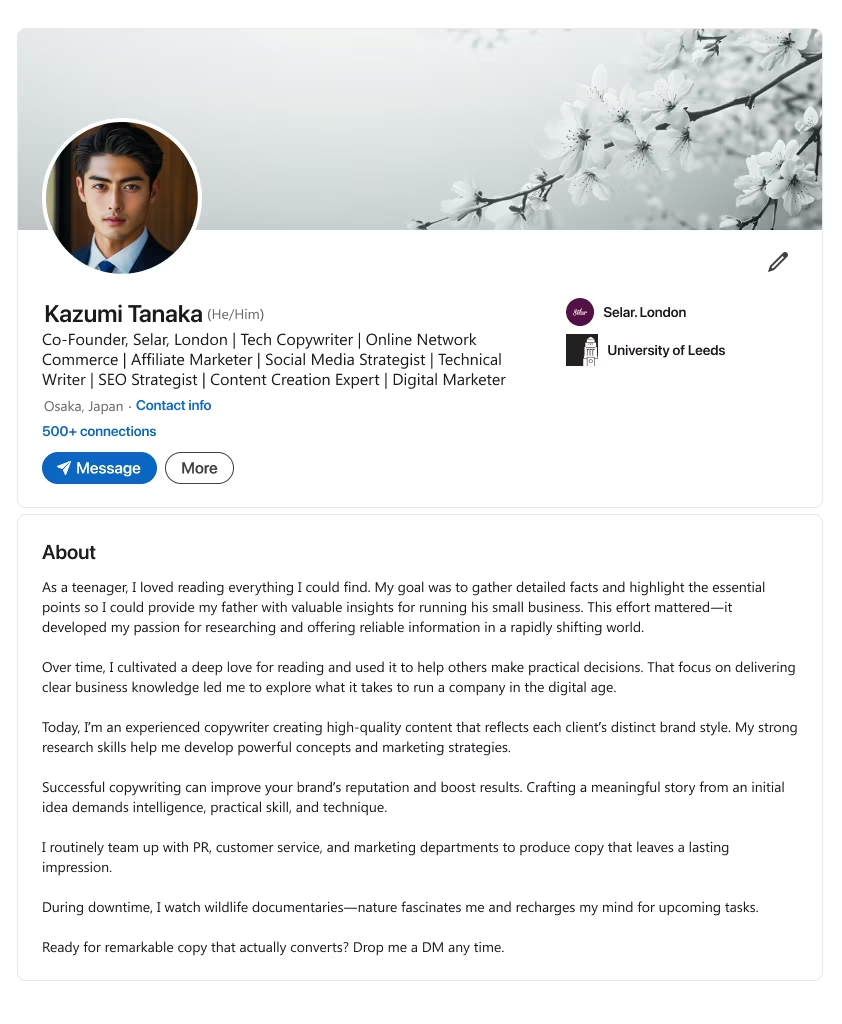
Notes
- Headline ~220 characters.
- Share how early interests or study habits shaped your passion for research or information-sharing. (See para #1)
- Explain how you produce high-quality work (e.g., copy, content) that aligns with unique brand styles. (See para #2 & #3)
- Note cross-department collaboration (PR, customer service, marketing) to create lasting impact. (See para #4)
- Mention a downtime activity that recharges you creatively. (See para #5)
- End with a call to action inviting potential clients or collaborators to connect.
Template 3
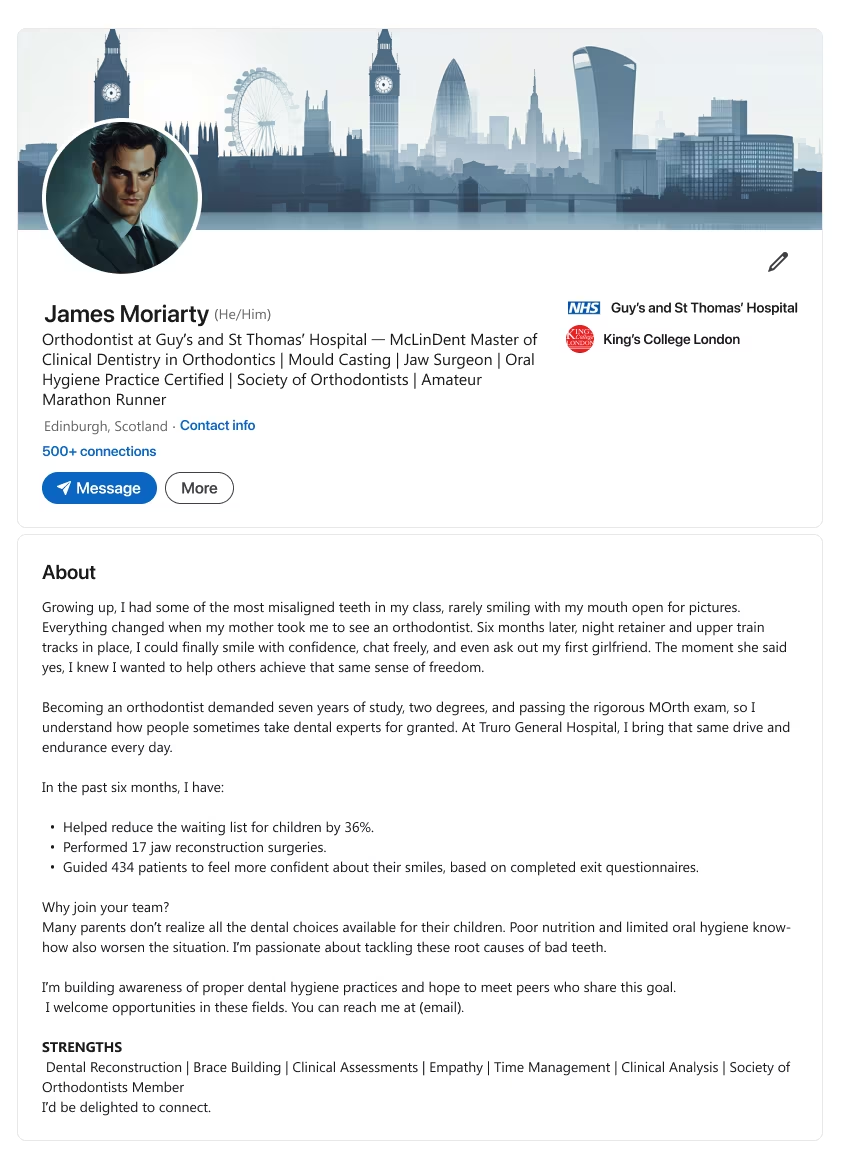
Notes
- Headline ~220 characters.
- Describe how a personal experience or early challenge sparked your desire to help others (e.g., restoring confidence). (See par #1)
- Emphasize the advanced education or certifications demonstrating your expertise. (See para #2)
- Highlight recent measurable results, achievements, or client feedback. (See bullet list)
- Explain how you address root causes or key issues in your field. (See para #4)
- End with a call to action inviting peers or employers to reach out.
Template 4
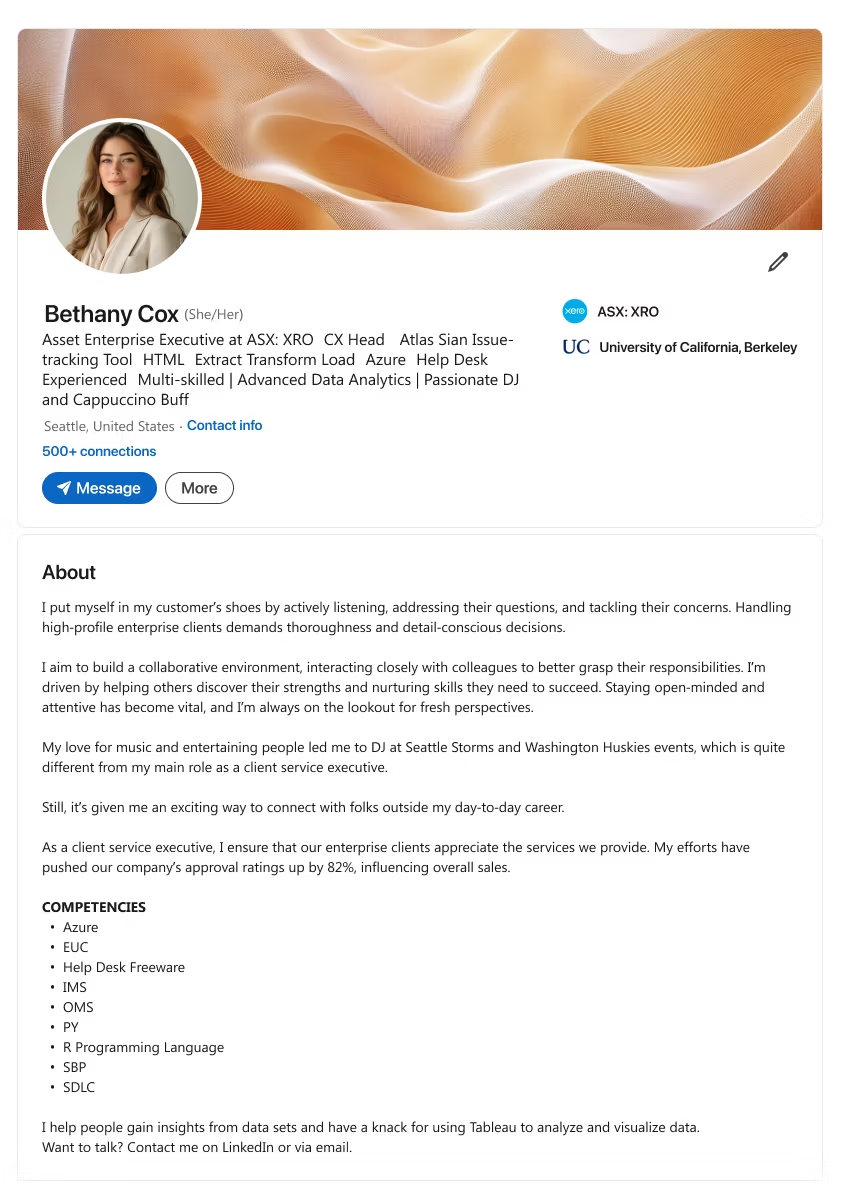
Notes
- Headline ~220 characters.
- Put yourself in the customer’s position—explain how you address concerns by active listening. (See para #1)
- Show your collaboration efforts, learning from colleagues’ roles to nurture strengths. (See para #2)
- Mention a personal passion or hobby that connects you with people beyond work. (See para #3)
- Reveal how these efforts led to impactful results or higher approval ratings. (See para #4)
- End with a call to action encouraging readers to start a conversation.
Template 5
Notes
- Headline ~220 characters.
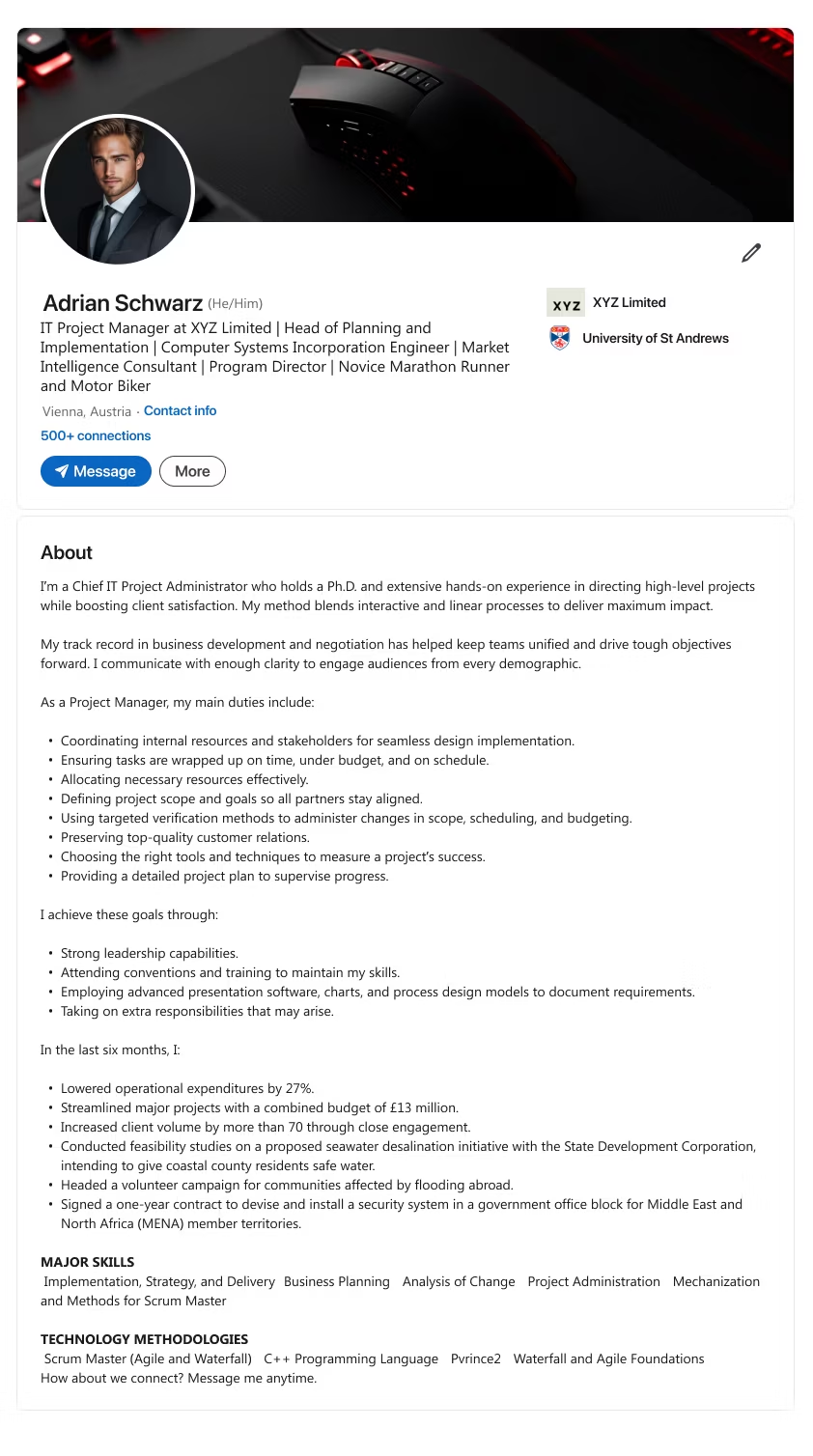
- State your role (e.g., IT Project Administrator) and any advanced degree or experience you bring. (See para #1)
- List core duties—resource coordination, defining scope, ensuring timely goals. (See para #3 & bullet list)
- Outline leadership approaches or tools used to maintain high standards. (See para #4)
- Show recent successes, like budget reductions or big project completions. (See para #5 & bullet list)
- End with a call to action prompting collaboration or further contact.

What makes this style stand out?
- Tailors your profile for immediate recruiter interest, using relevant keywords for your job search.
Who is it best for?
- Anyone pivoting or looking for a fresh start, from career coach to software development enthusiast.
Win Recruiter Attention
A well-structured job seeker summary reveals what you bring to the table.
Use these LinkedIn summary examples to align your current job title or aspiration with what hiring managers want. Let them see your professional experience and personal story in one glance.
Template 1
Notes
- Headline ~220 characters.
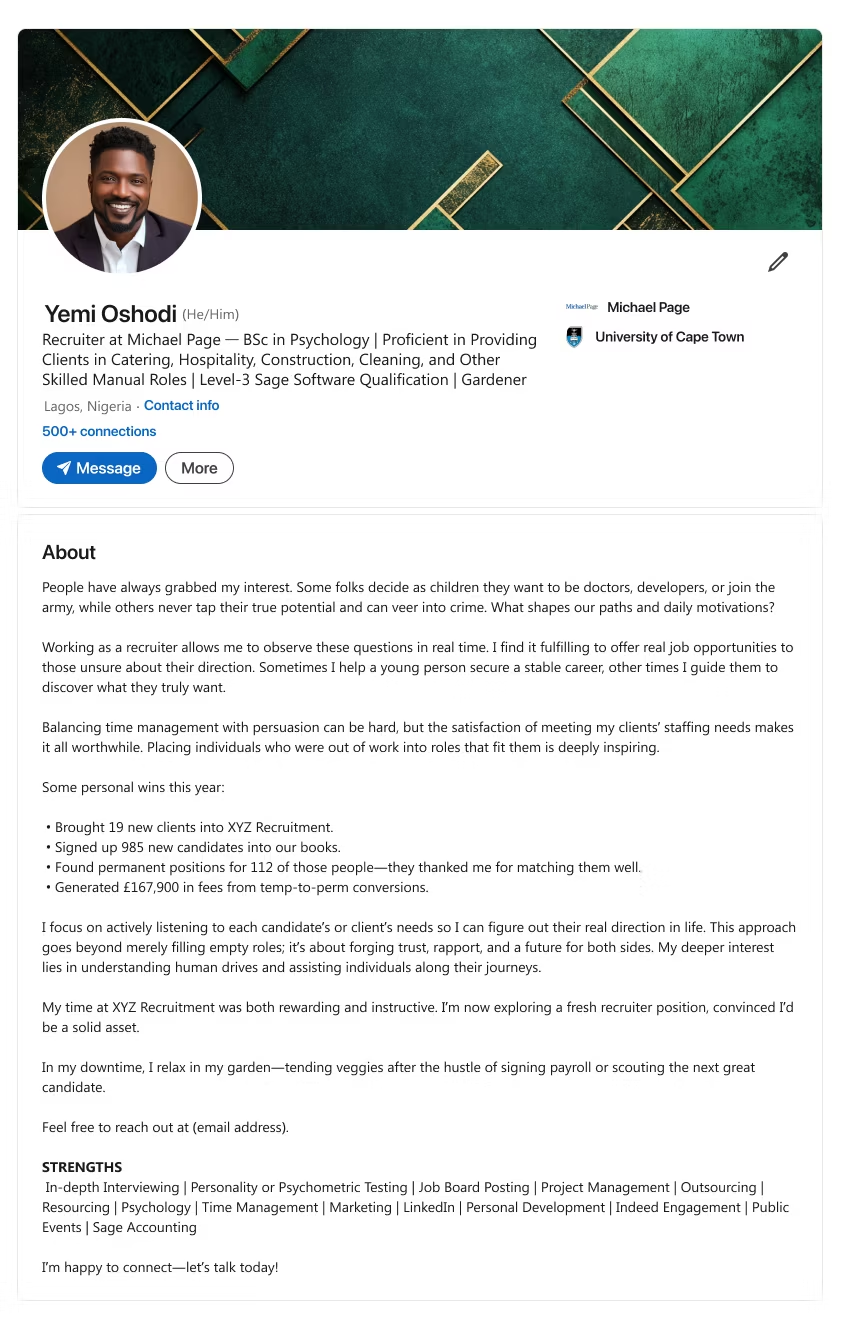
- Explain your interest in various career paths and how that drives your recruiting passion. (See para #1)
- Show how you juggle time management, persuasion, and empathy to place candidates effectively. (See para #2)
- Reference notable achievements (e.g., new clients, candidate sign-ups, successful hires). (See bullet list)
- Mention the deeper desire to understand people’s motivations and build trust. (See para #4)
- End with a call to action for opportunities to use your recruiting skills.
Template 2
Notes
- Headline ~220 characters.
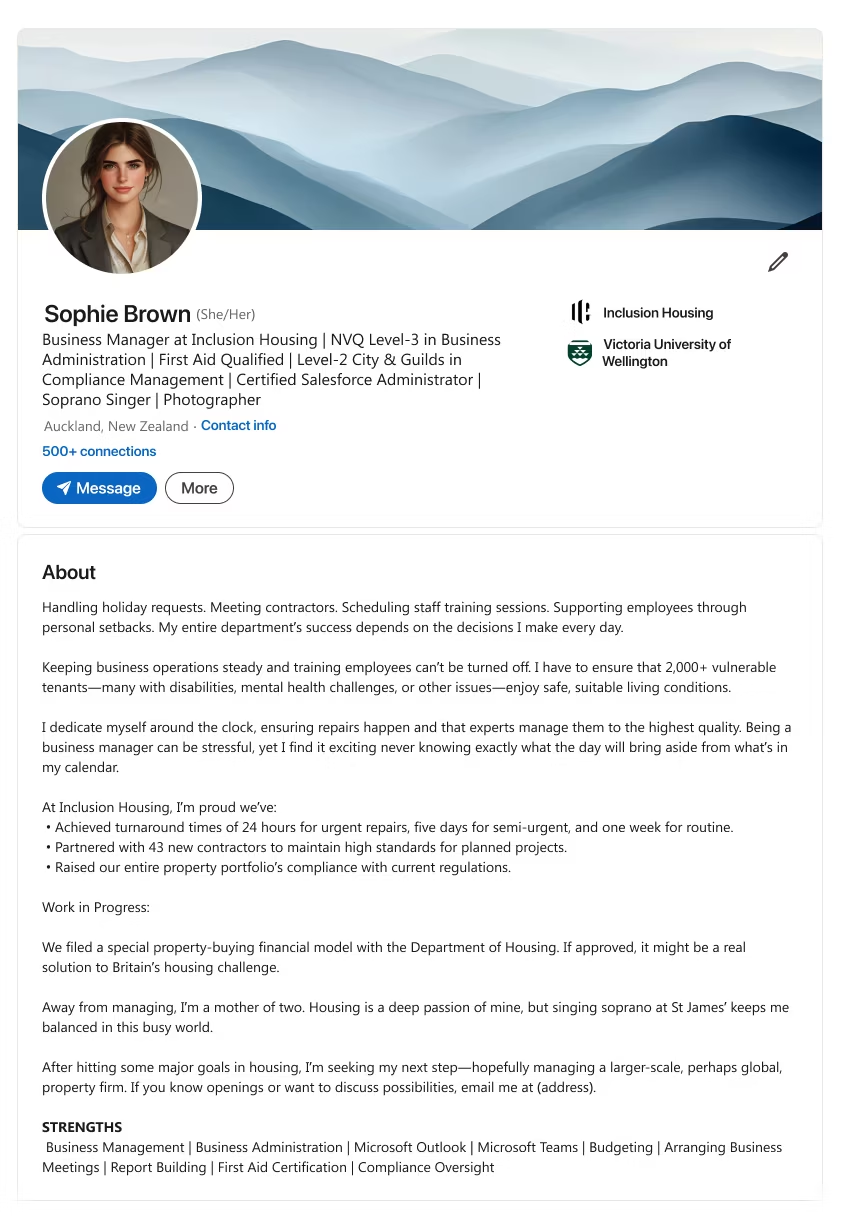
- List the daily tasks or key responsibilities (e.g., scheduling, contractor oversight, staff support). (See para #1)
- Stress your dedication to ensuring safe, well-maintained conditions for many stakeholders. (See para #2)
- Cite big wins like improved turnaround times or compliance rates. (See bullet list)
- Mention personal interests (e.g., family or hobbies) to show balance. (See para #4)
- End with a call to action seeking further management roles or collaborations.
Template 3
Notes
- Headline ~220 characters.
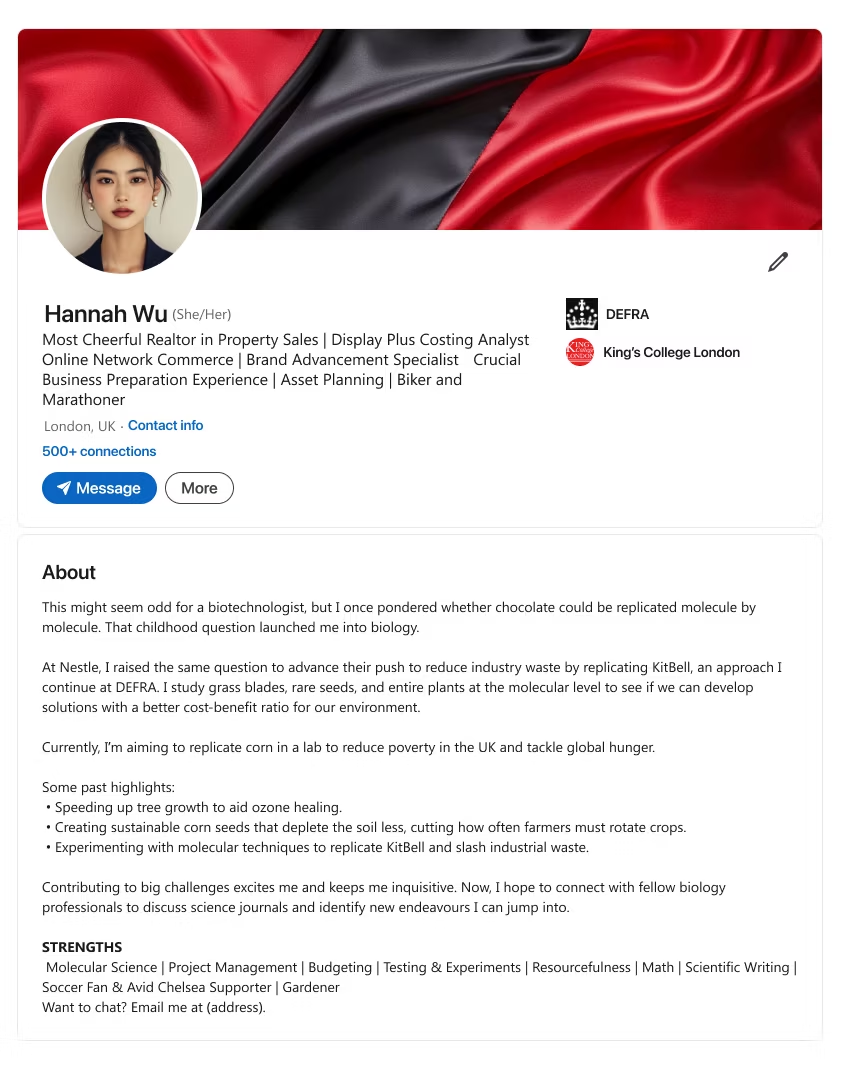
- Recall a childhood question or curiosity that launched your interest in a scientific field. (See para #1)
- Explain the practical work you do (e.g., molecular techniques, environmental solutions). (See para #2)
- Highlight key successes (e.g., growth acceleration, sustainability projects). (See bullet list)
- End with a call to action inviting fellow specialists to discuss new research avenues.
Template 4
Notes
- Headline ~220 characters.
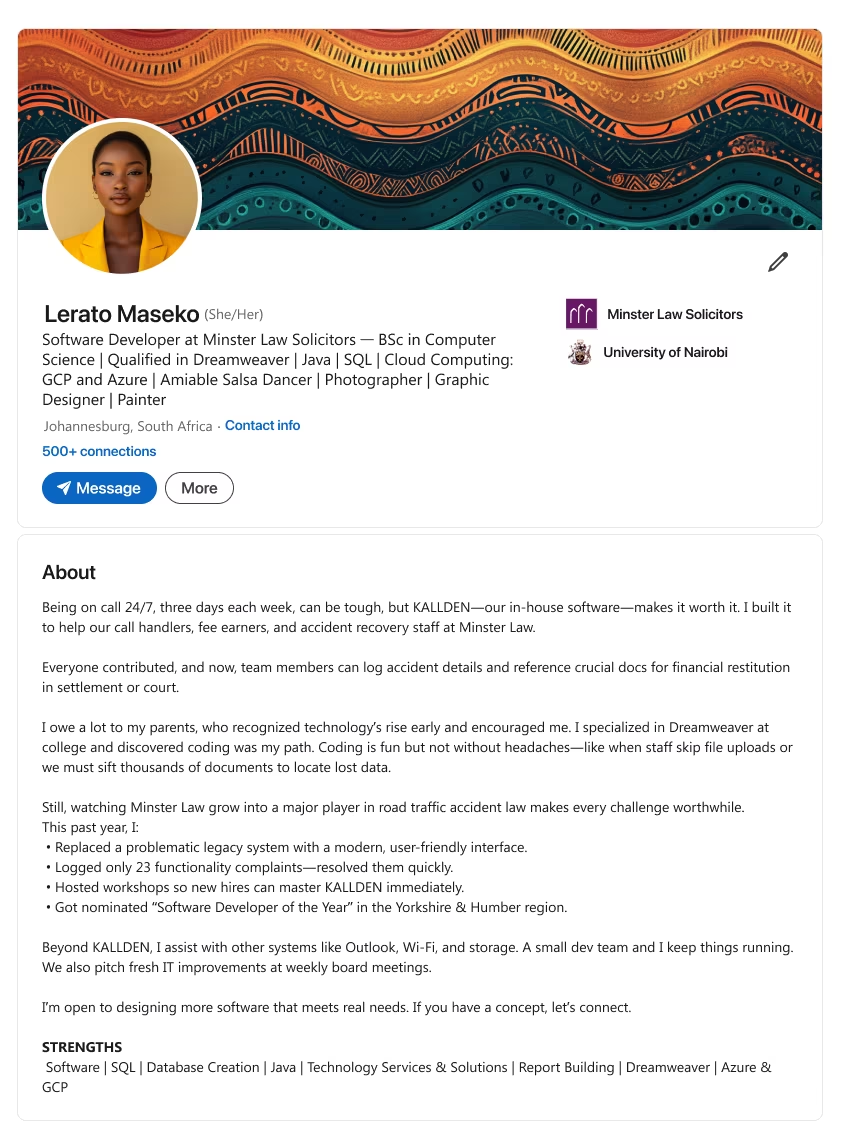
- Describe a major challenge (e.g., on-call schedule) and the system you developed to tackle it. (See para #1)
- Credit early exposure or encouragement that sets you on your current path (e.g., coding at college). (See para #2)
- Show measurable results, such as reduced complaints or user-friendly upgrades. (See bullet list)
- End with a call to action offering tech solutions or collaboration on new software ideas.
Template 5
Notes
- Headline ~220 characters.
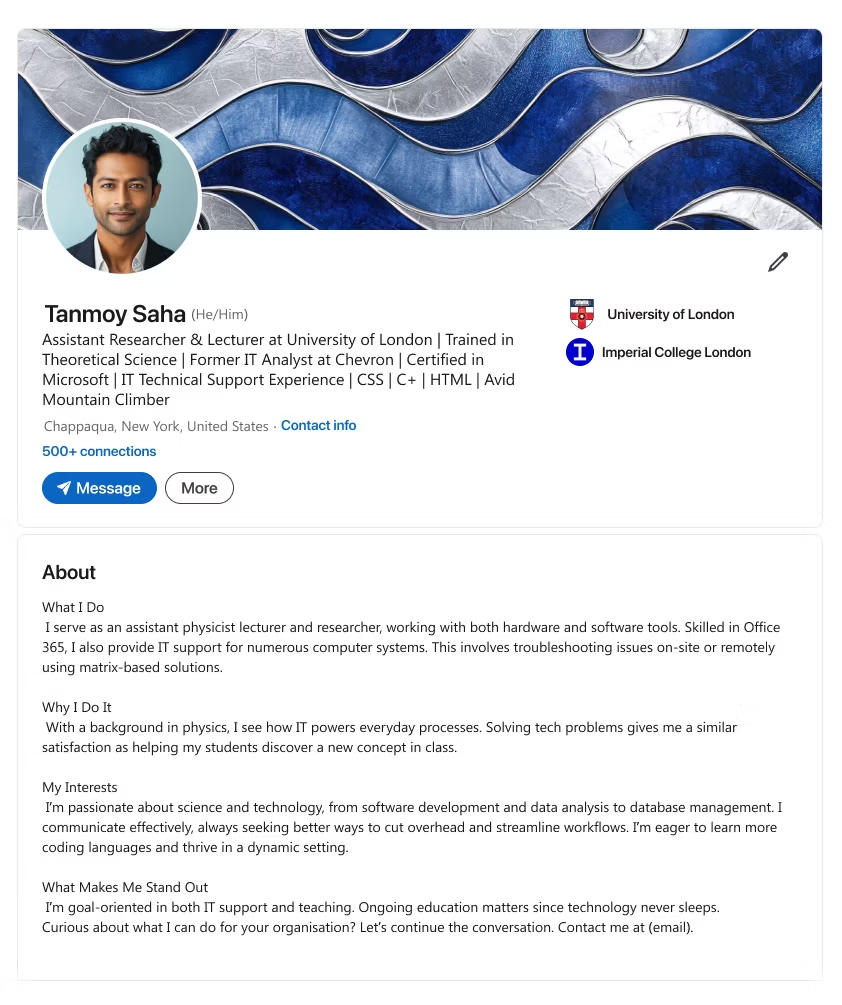
- Introduce dual roles (e.g., teaching and IT support) and the tools you manage. (See “What I Do”)
- Explain how solving tech challenges parallels teaching breakthroughs. (See “Why I Do It”)
- Highlight continuous improvement in coding, data analysis, or systems management. (See “My Interests”)
- End with a call to action inviting networking or organizational problem-solving.

What makes this style stand out?
- Focuses on your driving purpose and how you deliver results that matter.
Who is it best for?
- Perfect for those who push client-centric goals, social impact, or innovative solutions.
Showcase Your Core Mission
If your job search centers on helping others, a mission-based and customer-focused profile shows where you shine. Infuse it with your professional accomplishments and let hiring managers see your passion.
Choose from these mission-first LinkedIn summary templates to connect with the right target audience.
Template 1
Notes
- Headline ~220 characters.
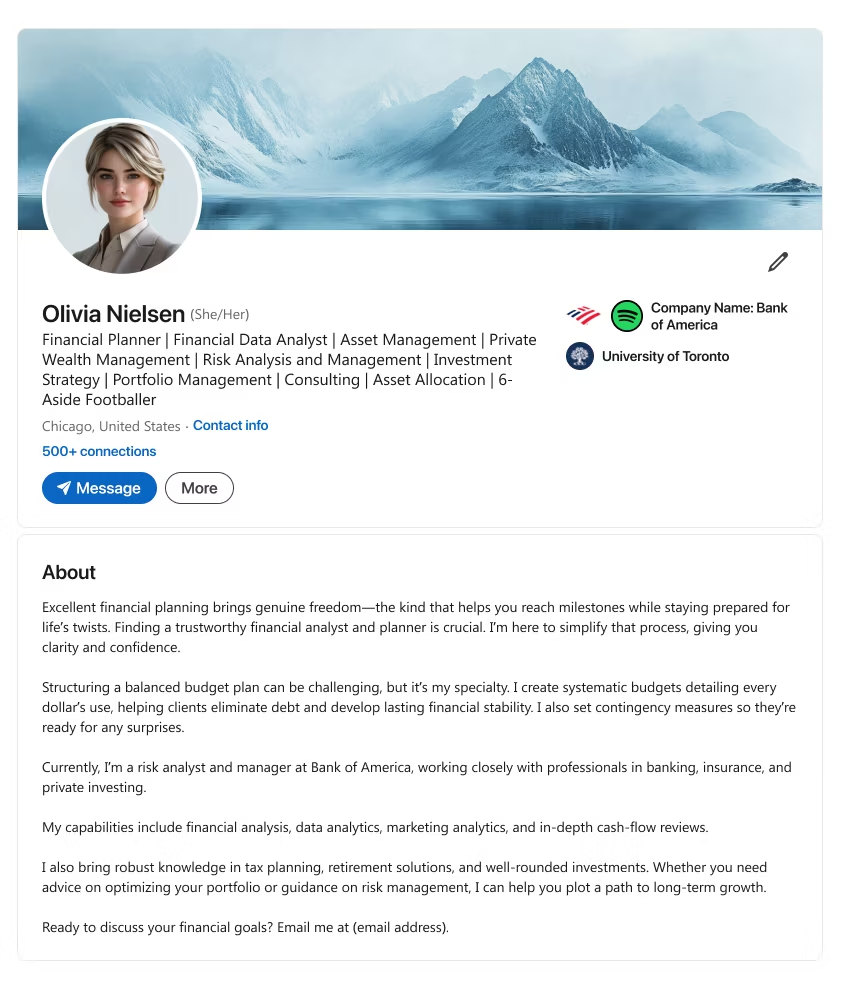
- Underline a core belief (e.g., financial planning equals freedom) that guides your approach. (See para #1)
- Mention your process (e.g., budget detailing, risk analysis) that brings clarity and confidence. (See para #2)
- Highlight your expertise with diverse financial tools or markets. (See para #3)
- End with a call to action inviting discussions on financial or risk strategy.
Template 2
Notes
- Headline ~220 characters.
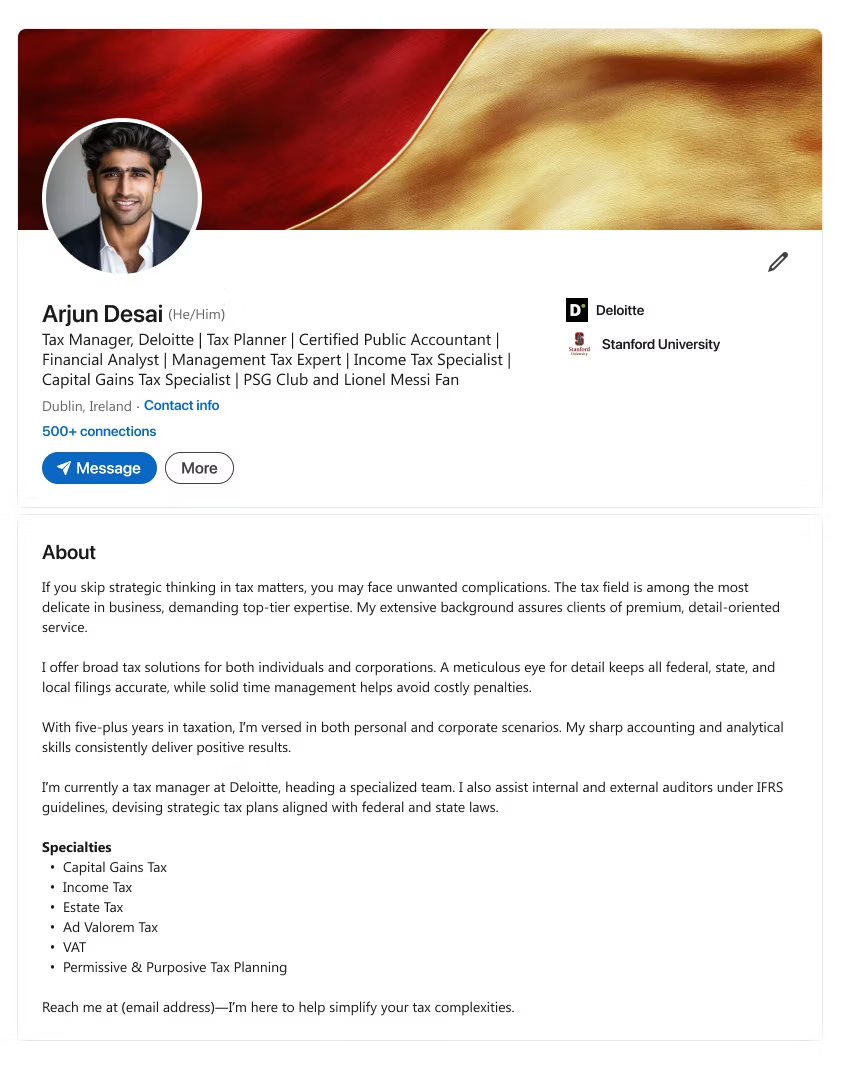
- Warn about the pitfalls of overlooking proper strategy in a specialized field (e.g., taxes). (See para #1)
- Show your meticulous approach that prevents penalties or oversight. (See para #2)
- Point to your current role and how you handle complex scenarios (e.g., corporate vs. personal). (See para #3)
- End with a call to action offering to simplify processes or compliance needs.
Template 3
Notes
- Headline ~220 characters.
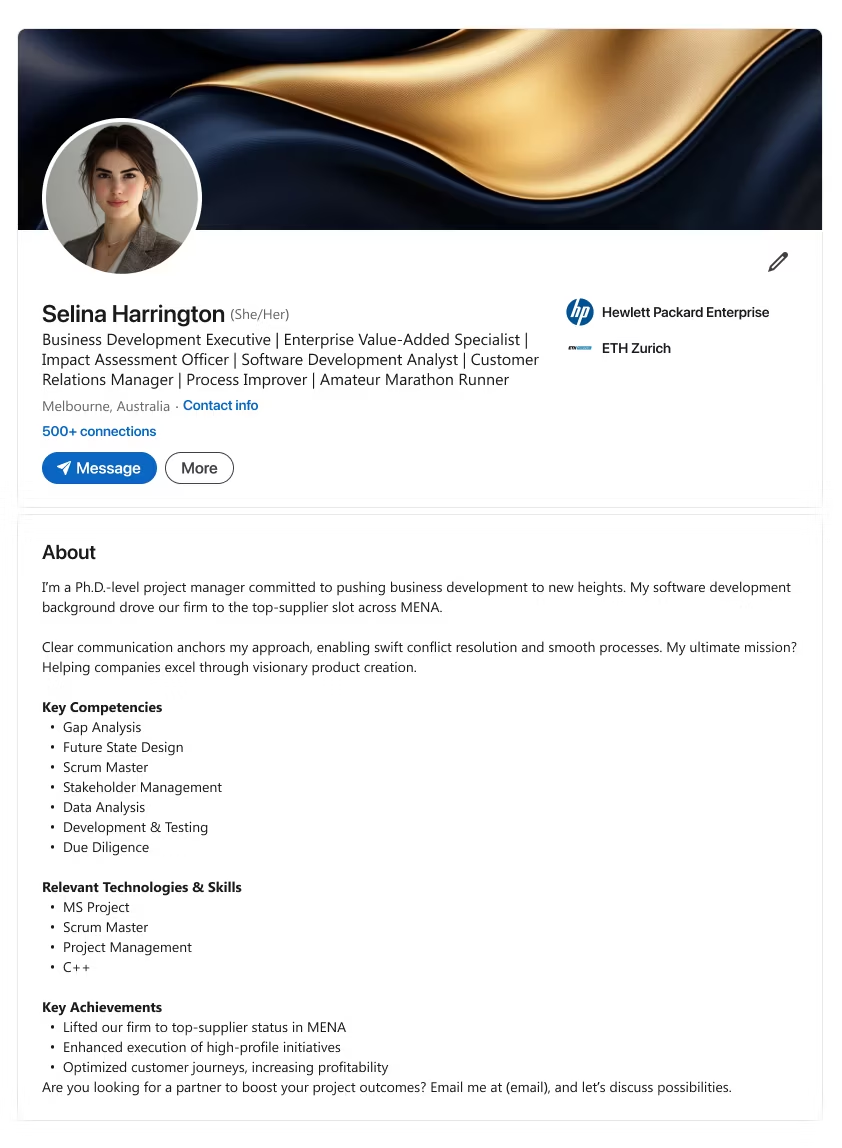
- Highlight advanced credentials (e.g., Ph.D.) and your drive for business development or top-supplier status. (See para #1)
- Explain communication style that fuels conflict resolution and product success. (See para #2)
- Mention notable achievements (e.g., top initiatives, profitability gains). (See “Key Achievements”)
- End with a call to action for partnerships aiming to achieve set project outcomes.
Template 4
Notes
- Headline ~220 characters.
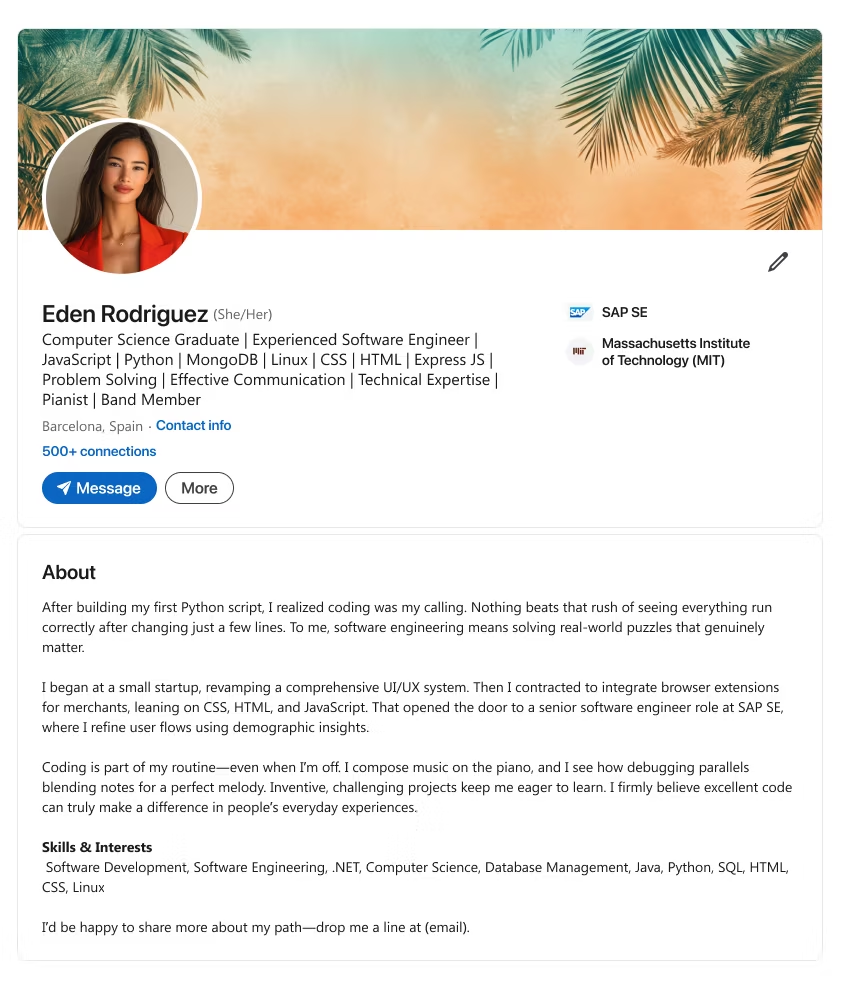
- Share how an initial coding success confirmed your passion for real-world software solutions. (See para #1)
- Trace progression from small projects to advanced roles, focusing on user experience. (See para #2)
- Compare coding to a creative process, showing how you solve complex puzzles. (See para #3)
- End with a call to action for those seeking an inventive approach to development.
Template 5
Notes
- Headline ~220 characters.
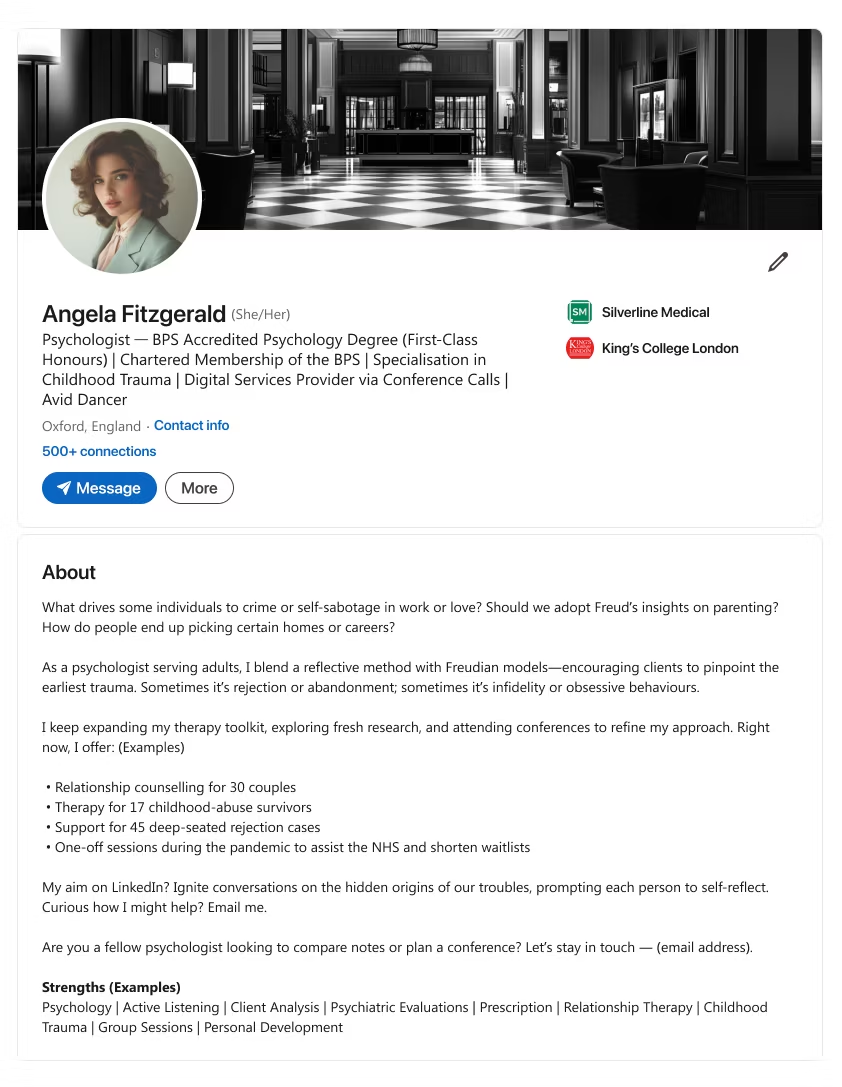
- Question underlying issues (e.g., self-sabotage, trauma) in your professional field. (See para #1)
- Show how you blend different models or research to address deeper causes. (See para #2)
- List current client or project stats to show scope. (See bullet list)
- End with a call to action welcoming inquiries or collaboration from like-minded professionals.

What makes this style stand out?
- Highlights academic and professional experiences, plus ongoing skills growth.
Who is it best for?
- Job seekers entering the market with limited experience, aiming to stand out.
Launch Your Career
Even as a student or recent grad, you can craft an effective LinkedIn summary that impresses. Use these LinkedIn summary examples to reflect your academic achievements, personal interests, and readiness to learn.
Prove to potential employers you’re the real deal—despite fewer years in the workforce.
Template 1
Notes
- Headline ~220 characters.
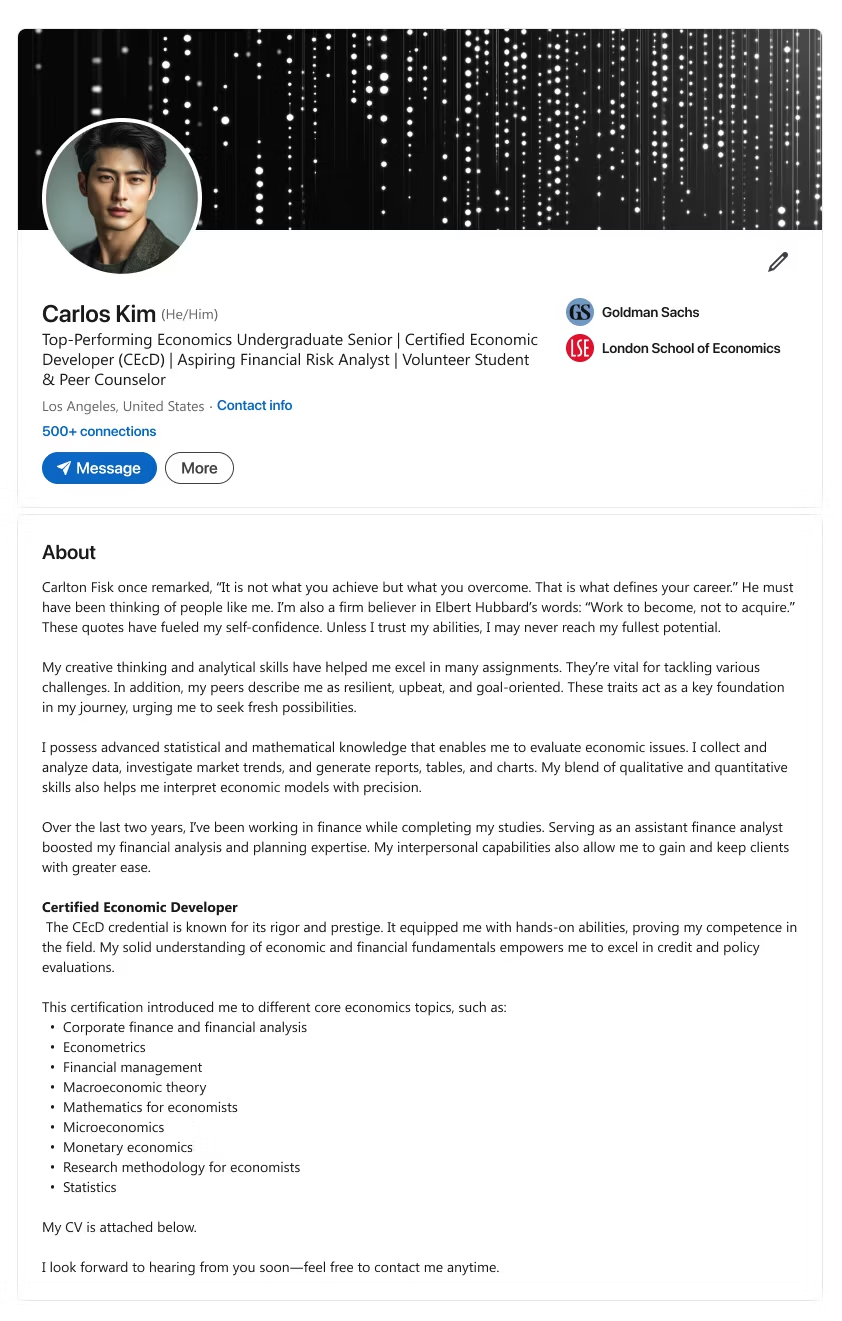
- Quote or reference a principle that fuels your confidence or ambition. (See para #1)
- Note your mix of creative thinking and analytical skills for tackling complex tasks. (See para #2 & #3)
- Mention certifications or practical experience reinforcing your core competence. (See para #4 & “Certified Economic Developer”)
- End with a call to action inviting contacts to view your CV or discuss opportunities.
Template 2
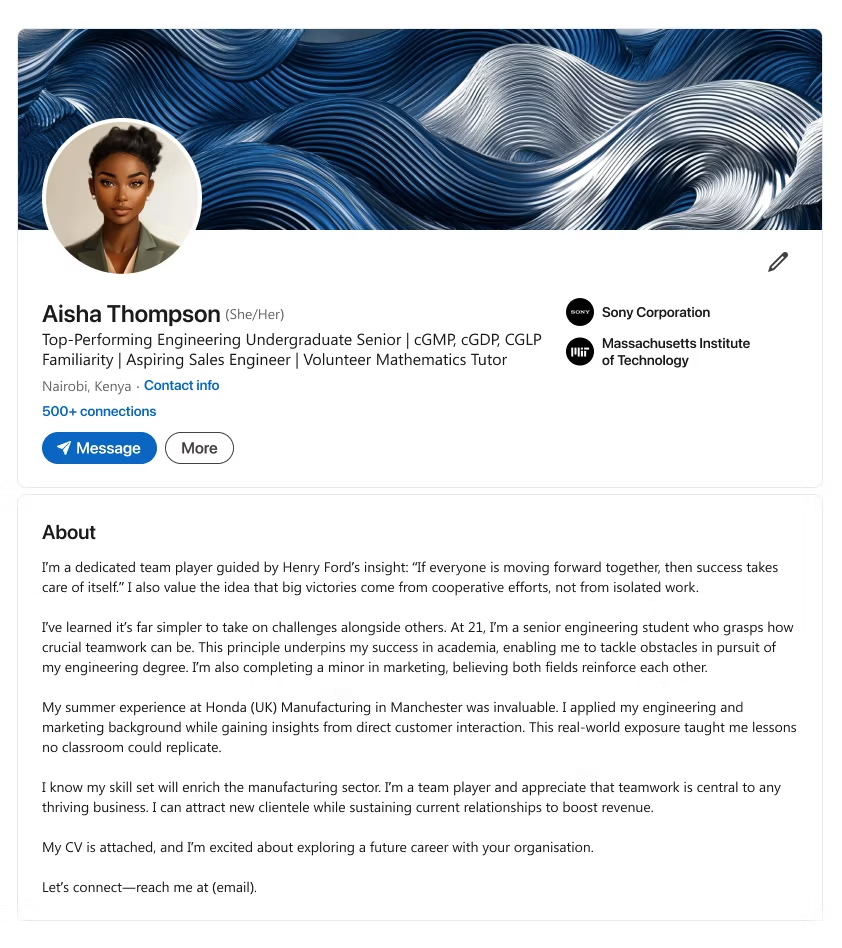
Notes
- Headline ~220 characters.
- Echo a teamwork philosophy that shapes your approach to engineering or other fields. (See para #1)
- Show how real-world experiences (e.g., an internship) enriched your skill set. (See para #2)
- Stress your readiness to merge technical and interpersonal strengths in future roles. (See para #3)
- End with a call to action about exploring career possibilities.
Template 3
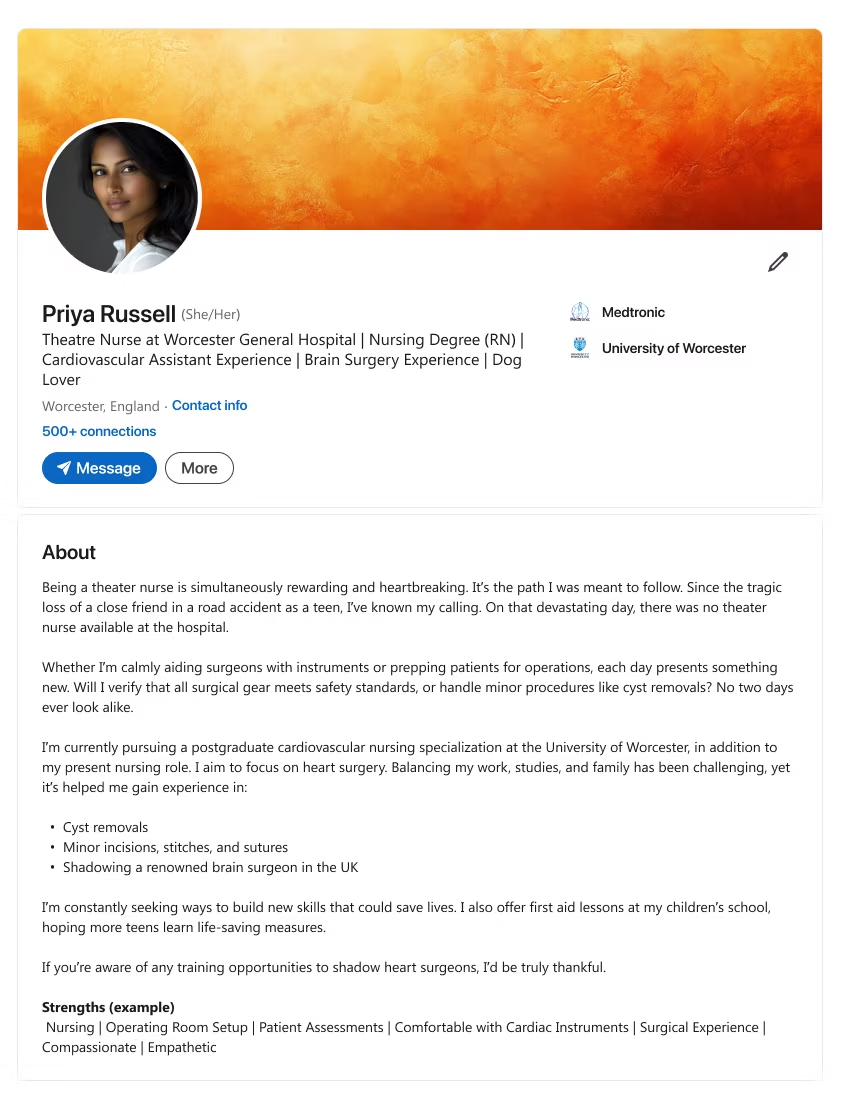
Notes
- Headline ~220 characters.
- Describe the core idea or trigger. (See para #1)
- Explain the practical work or approach. (See para #2)
- Highlight measurable outcomes or skills. (See bullet list)
- End with a clear call to action.
Template 4
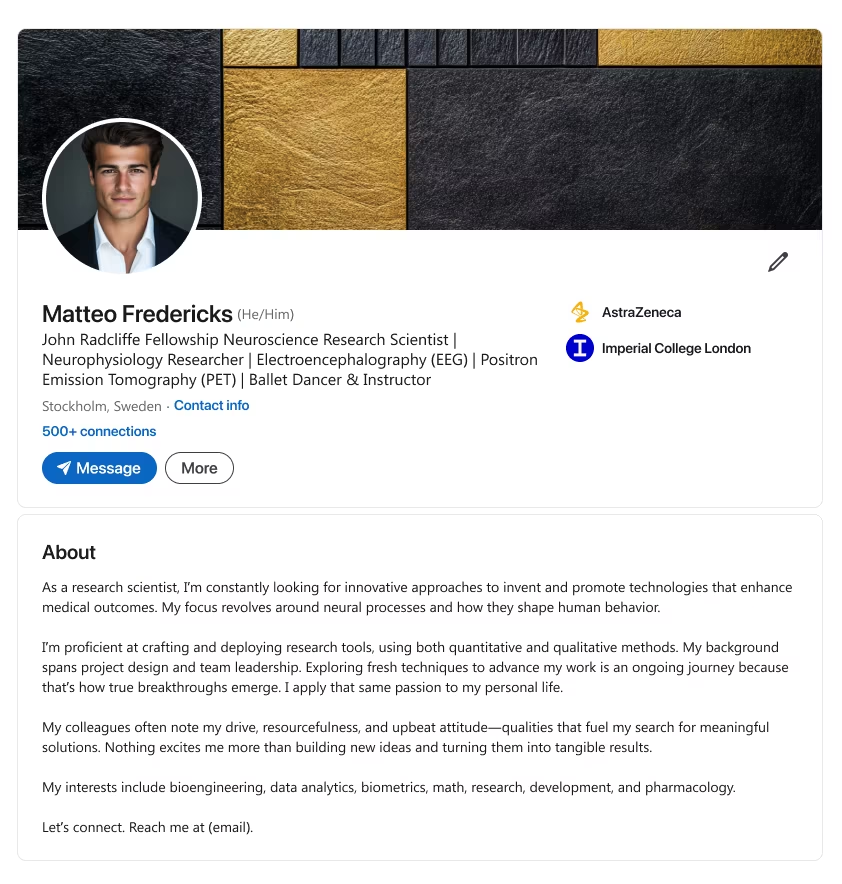
Notes
- Headline ~220 characters.
- Explain your drive to find fresh ways to improve outcomes in your research area. (See para #1)
- Show your project design and leadership skills, using both qualitative and quantitative methods. (See para #2)
- Mention personal traits (e.g., resourcefulness, positivity) fueling your quest for breakthroughs. (See para #3)
- End with a call to action encouraging like-minded experts to connect.
Template 5
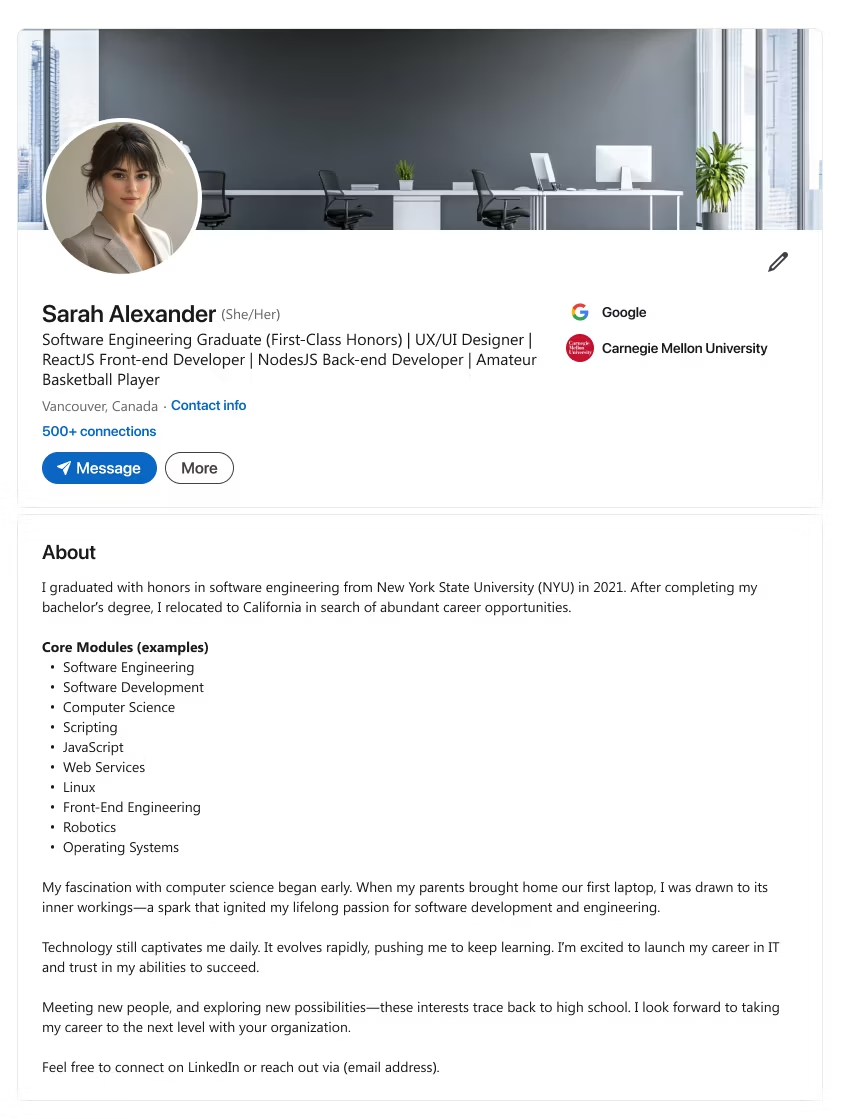
Notes
- Headline ~220 characters.
- Share your academic journey and the move you made for better career prospects. (See para #1)
- List core modules or technical proficiencies that form your skill base. (See “Core Modules”)
- Recall an early fascination with tech that sparked your ongoing passion. (See para #3)
- End with a call to action inviting potential employers or collaborators to reach out.
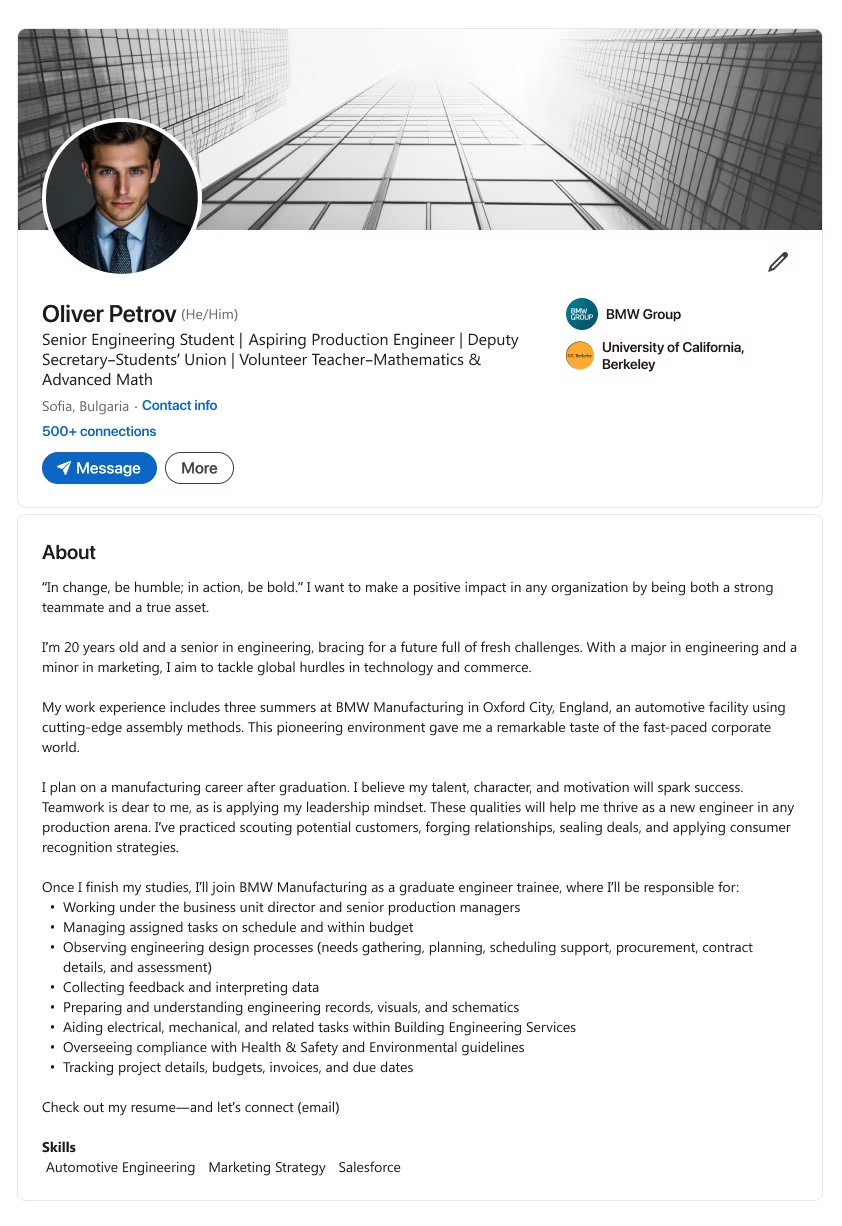
Template 6
Notes
- Headline ~220 characters.
- Quote a guiding motto or principle that reflects your approach to challenges. (See para #1)
- Explain your major or minor combo or relevant work experience that shapes your perspective. (See para #2 & #3)
- List the main tasks or responsibilities you’ll handle in upcoming roles. (See bullet list)
- End with a call to action prompting others to review your resume or connect.

What makes this style stand out?
- Emphasizes your key wins so recruiters know your value instantly.
Who is it best for?
- Job seekers needing bigger visibility in a crowded market.
Highlight Your Impact
If you’ve got significant achievements, let them drive your LinkedIn summary section. Cite your professional qualifications, mention your job titles, and add a personal touch for clarity.
These “accomplishments” LinkedIn summaries ensure you shine in search results.
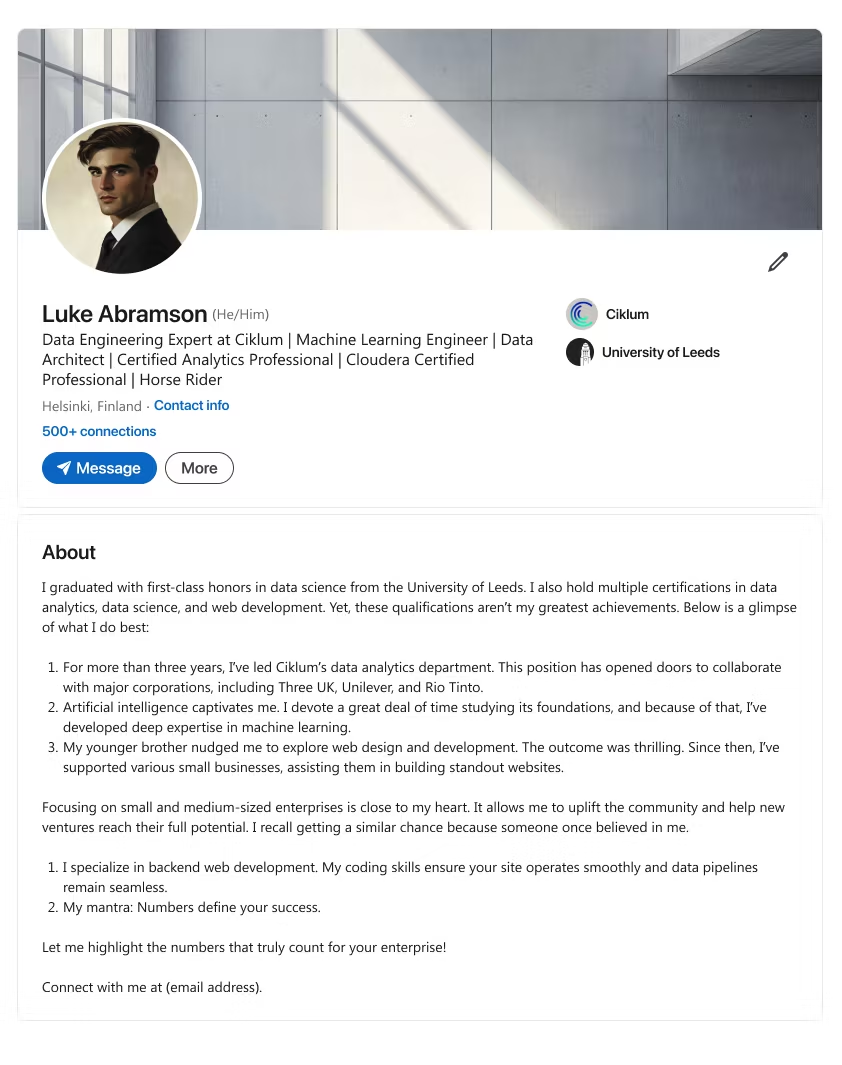
Template 1
Notes
- Headline ~220 characters.
- Show how your academic success (e.g., first-class honors, certifications) sets a strong foundation. (See para #1)
- Mention leadership roles or department oversight that opened doors to key collaborations. (See para #2)
- Highlight a special passion (like AI or web dev) that drove deeper expertise. (See para #3)
- Emphasize your dedication to helping smaller businesses or new ventures grow. (See para #4)
- End with a call to action offering to share vital metrics or connect for further discussion.
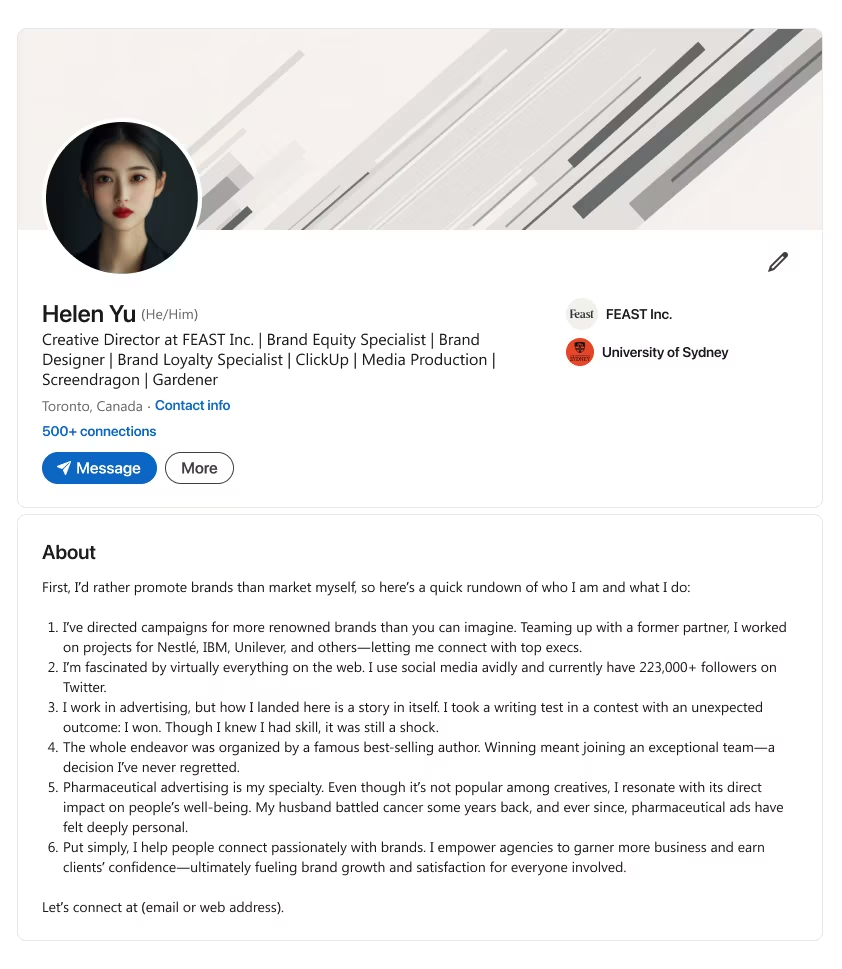
Template 2
Notes
- Headline ~220 characters.
- Note your wide-ranging campaign experience, working with top-tier brands. (See para #1)
- Show excitement for the web, social platforms, or large followings you’ve grown. (See para #2)
- Mention any personal story or event that makes your niche (e.g., pharmaceutical ads) meaningful. (See para #5)
- Explain how you empower agencies or clients to boost brand trust and satisfaction. (See para #6)
- End with a call to action to connect for brand-building insights
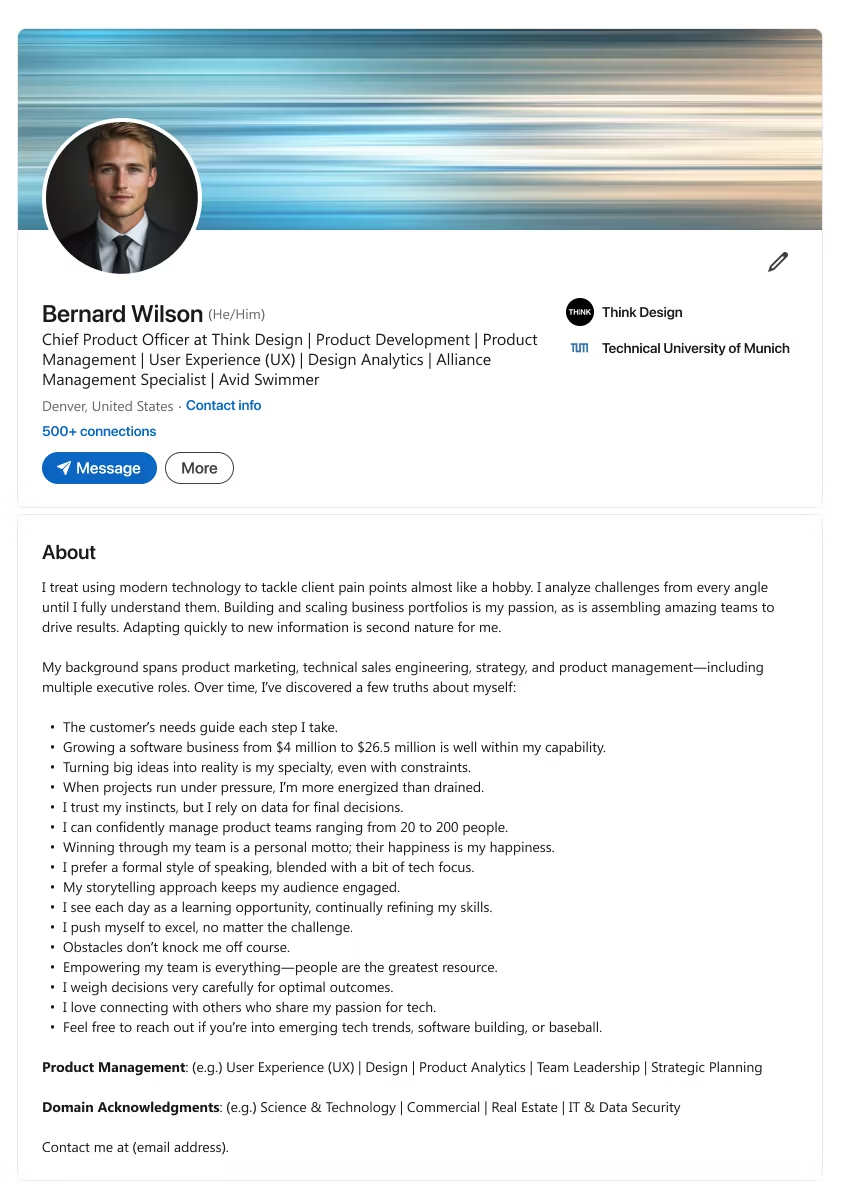
Template 3
Notes
- Headline ~220 characters.
- Describe your approach to using modern tech to solve client pain points. (See para #1)
- Reference your background across product marketing, sales engineering, and strategy. (See para #2)
- Underline key truths (e.g., trusting data, leading large teams, or thriving under pressure). (See bullet list in para #2)
- Mention your formal yet tech-driven speaking style and daily pursuit of learning. (See bullet list in para #2)
- End with a call to action inviting others to connect on emerging trends or software building.
Template 4
Notes
- Headline ~220 characters.
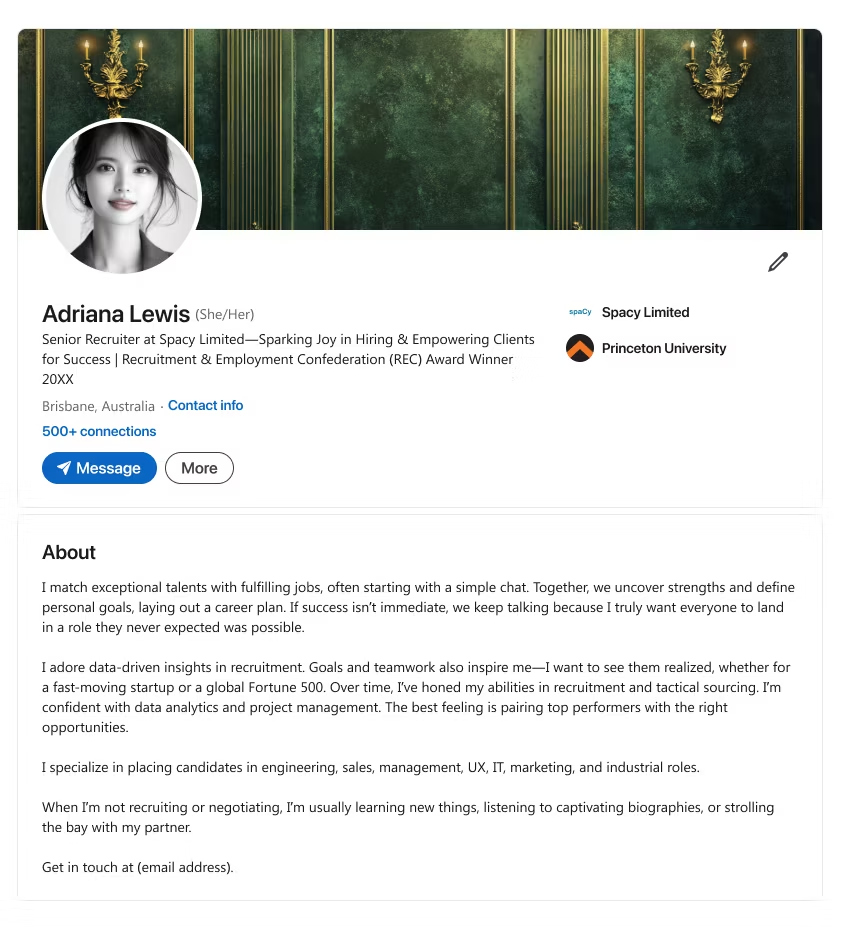
- State how you match top talents with fulfilling roles, often beginning with a simple conversation. (See para #1)
- Explain your love for data-driven insights, shared goals, or teamwork in recruitment. (See para #2)
- List your specialties in placing candidates across varied fields (e.g., IT, marketing). (See para #3)
- Mention personal hobbies that show continuous learning or relaxation. (See para #4)
- End with a call to action to get in touch for hiring solutions or a friendly chat.
Template 5
Notes
- Headline ~220 characters.
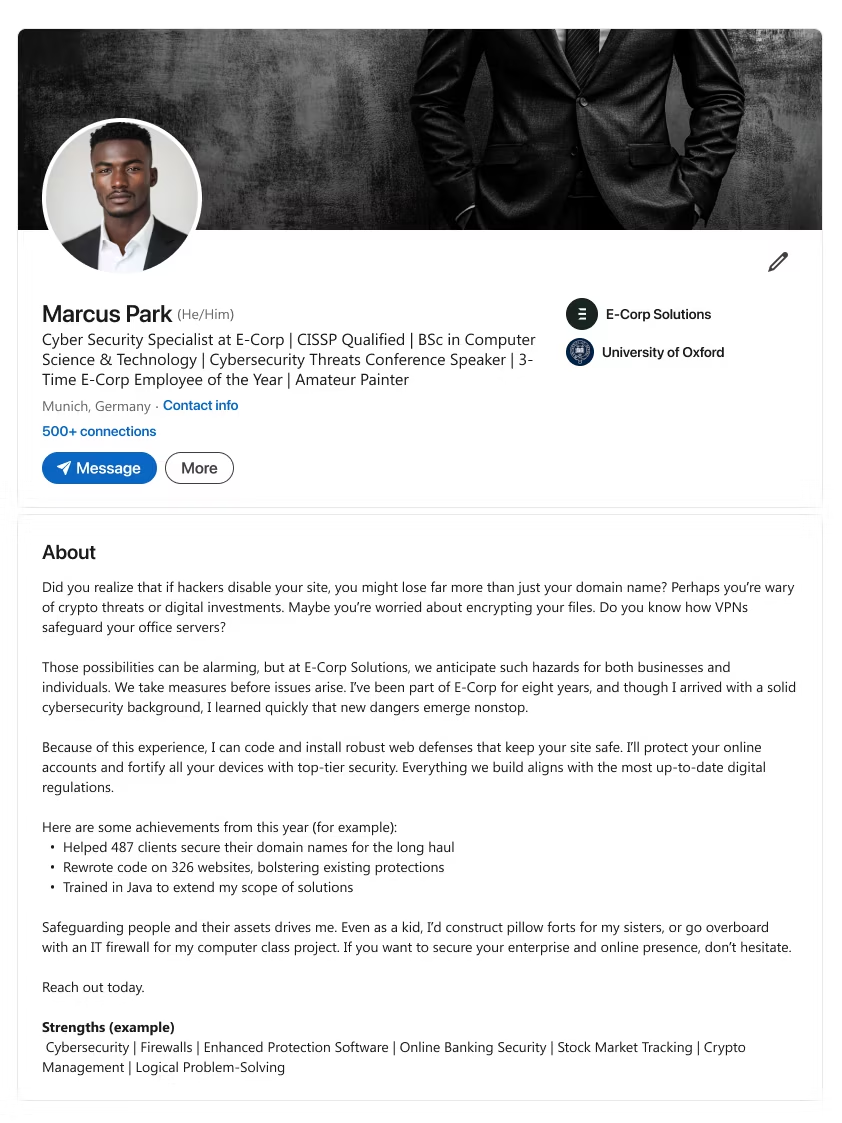
- Ask about cybersecurity risks (e.g., hacking, crypto threats) to grab attention. (See para #1)
- Show your years of experience in anticipating and handling nonstop security dangers. (See para #2)
- Point to measurable achievements, like protecting domains or rewriting code for safer sites. (See para #3)
- Emphasize your drive to safeguard online activities while staying aligned with up-to-date regulations. (See final paras)
- End with a call to action encouraging businesses or individuals to reach out for stronger security.

What makes this style stand out?
- Features brand-building successes and direct sales contributions.
Who is it best for?
- Sales professionals, digital marketers, and brand strategists hungry for conversions.
Convert Leads into Wins
Show you’re more than talk. A marketer’s LinkedIn summary can prove you boost brand reach or crush sales quotas.
Need to write a LinkedIn summary that sells your story fast? Try these LinkedIn summary templates to highlight your strategic thinking and personal brand.
Template 1
Notes
- Headline ~220 characters.
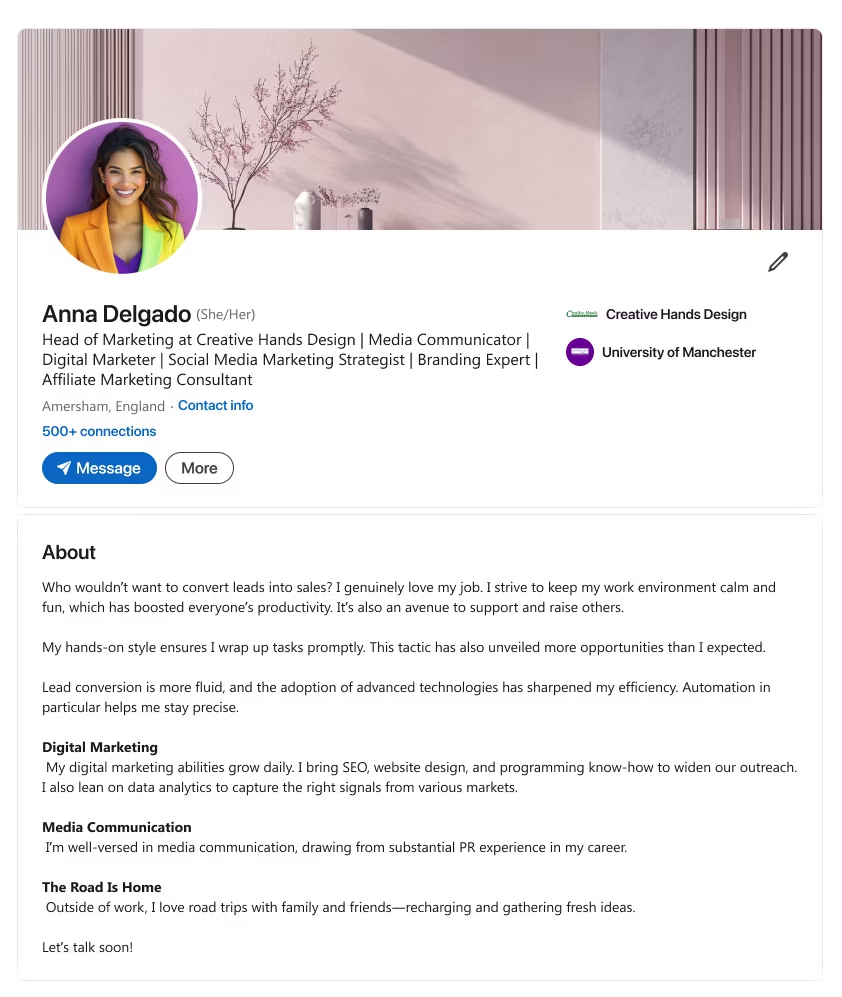
- Ask an engaging question about turning leads into sales to show genuine excitement. (See para #1)
- Show your hands-on process, including any use of advanced tools like automation. (See para #2)
- Highlight your digital marketing, SEO, or PR abilities that drive measurable success. (See “Digital Marketing” & “Media Communication”)
- End with a call to action to talk marketing or explore fresh growth ideas.
Template 2
Notes
- Headline ~220 characters.
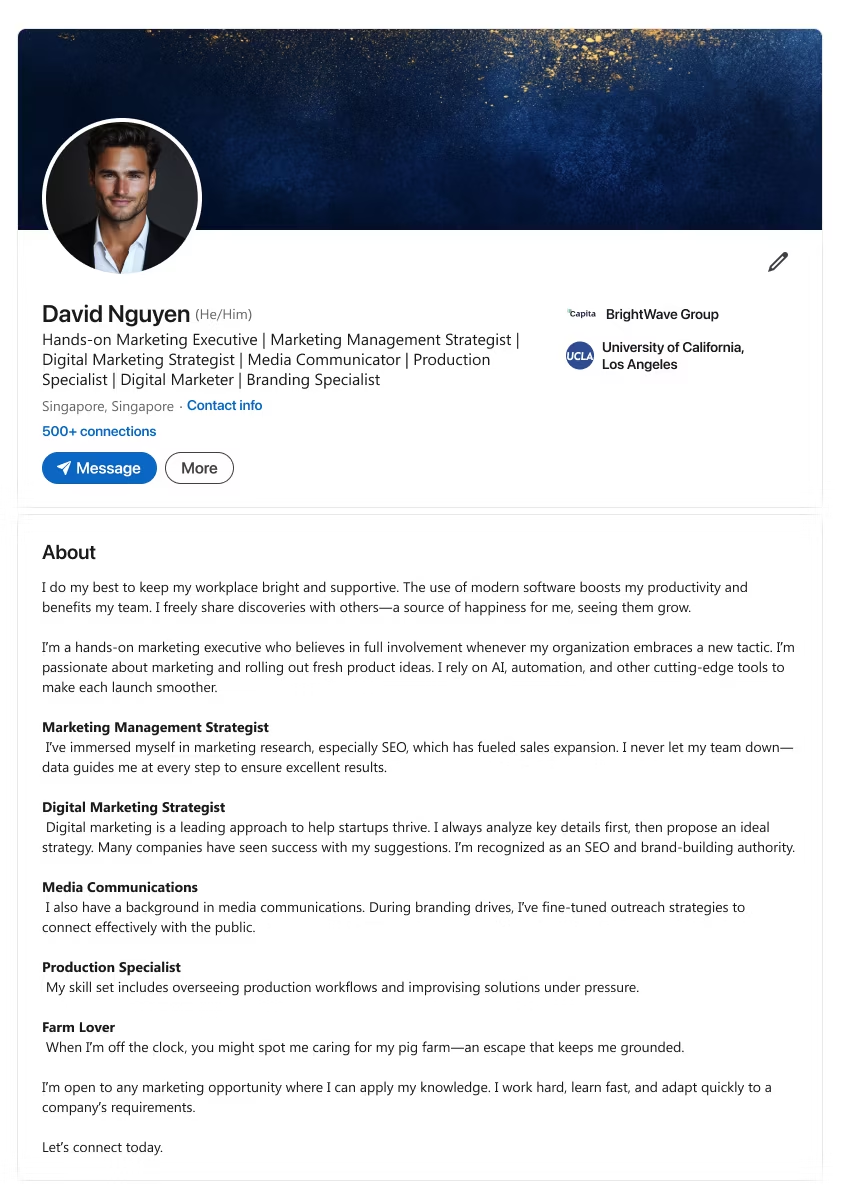
- Note how you keep the work environment supportive and tech-empowered for higher productivity. (See para #1)
- Explain your active involvement in each new marketing strategy, whether AI, automation, or brand expansion. (See para #2)
- Detail your SEO, media communications, or production workflow expertise. (See subheads)
- End with a call to action for potential marketing opportunities or team collaborations.
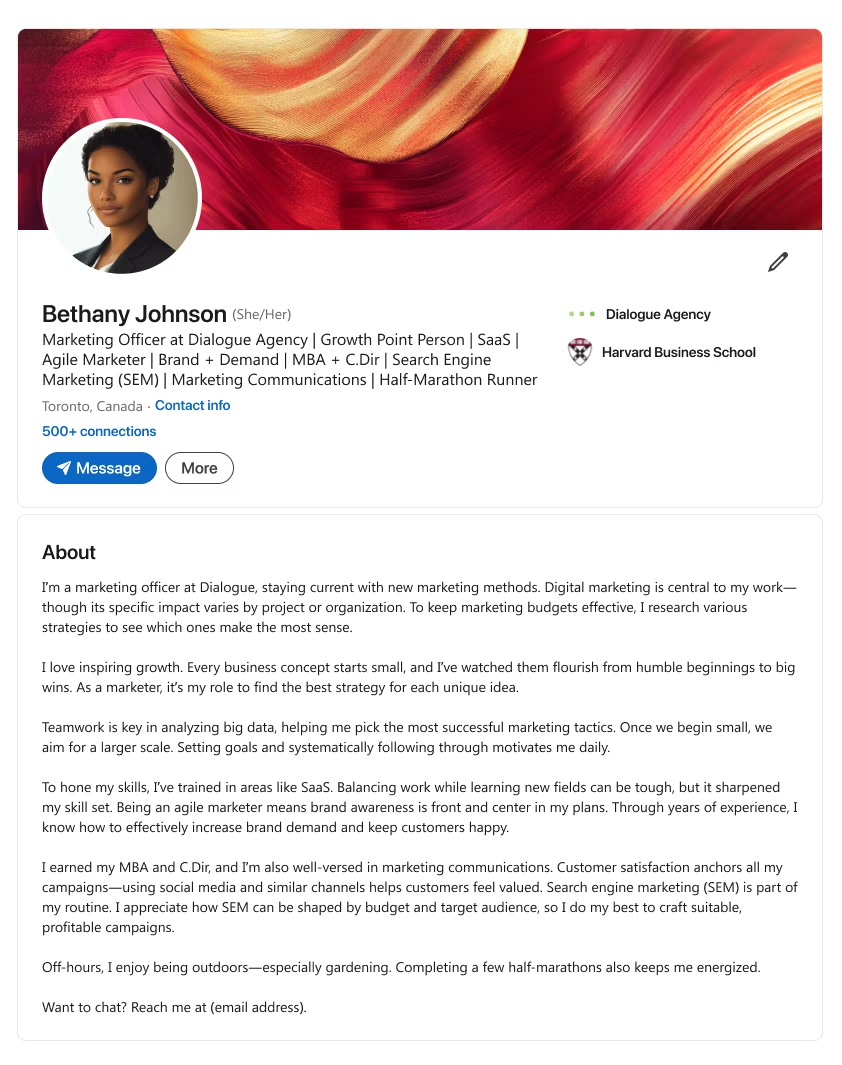
Template 3
Notes
- Headline ~220 characters.
- Mention how you stay current with evolving marketing methods and digital campaigns. (See para #1)
- Stress your passion for fostering growth from small ideas to bigger outcomes, guided by data analysis. (See para #2 & #3)
- Explain your background in SaaS, agile marketing, and brand-demand tactics. (See para #4)
- End with a call to action inviting conversations about brand building or personal interests (e.g., half-marathons).
Template 4
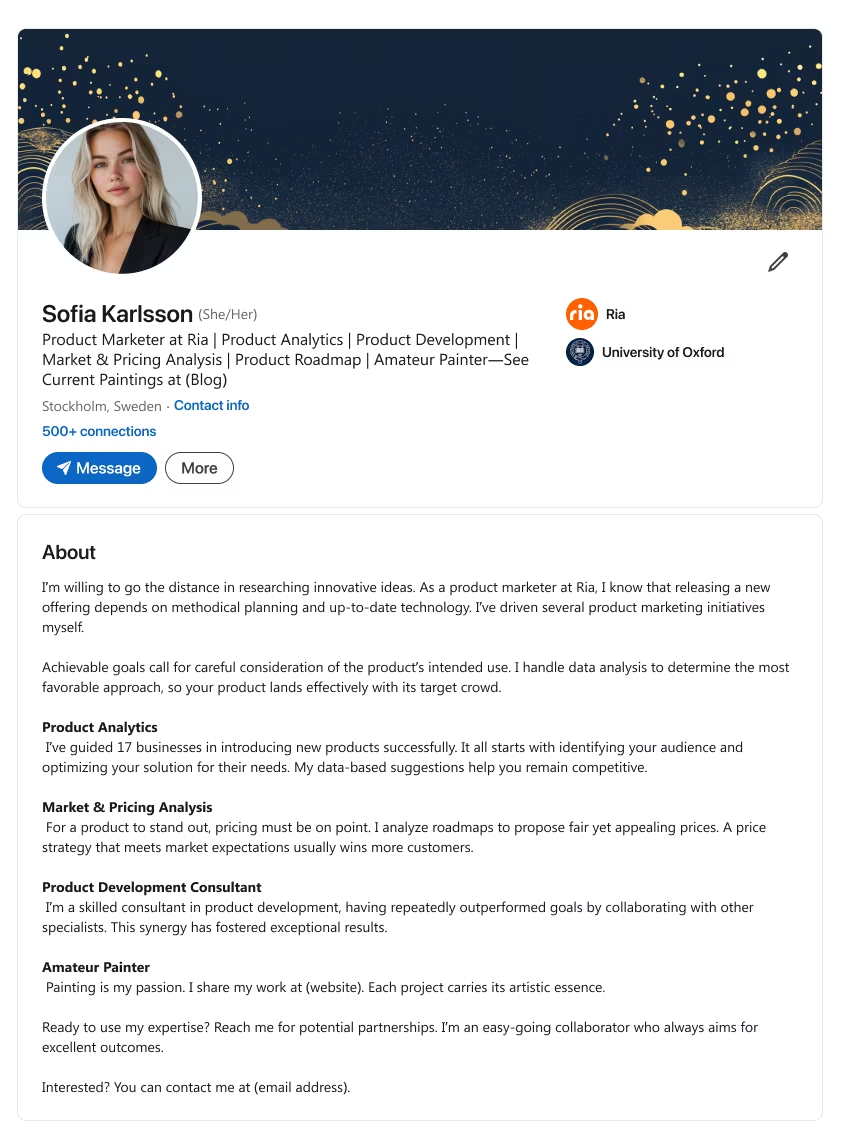
Notes
- Headline ~220 characters.
- Show your willingness to research innovative ideas before launching products. (See para #1)
- Note your track record with product analytics, pricing analysis, and roadmap planning. (See “Product Analytics” & “Market & Pricing Analysis”)
- Explain how collaboration boosts your success in product development or consulting. (See “Product Development Consultant”)
Template 5
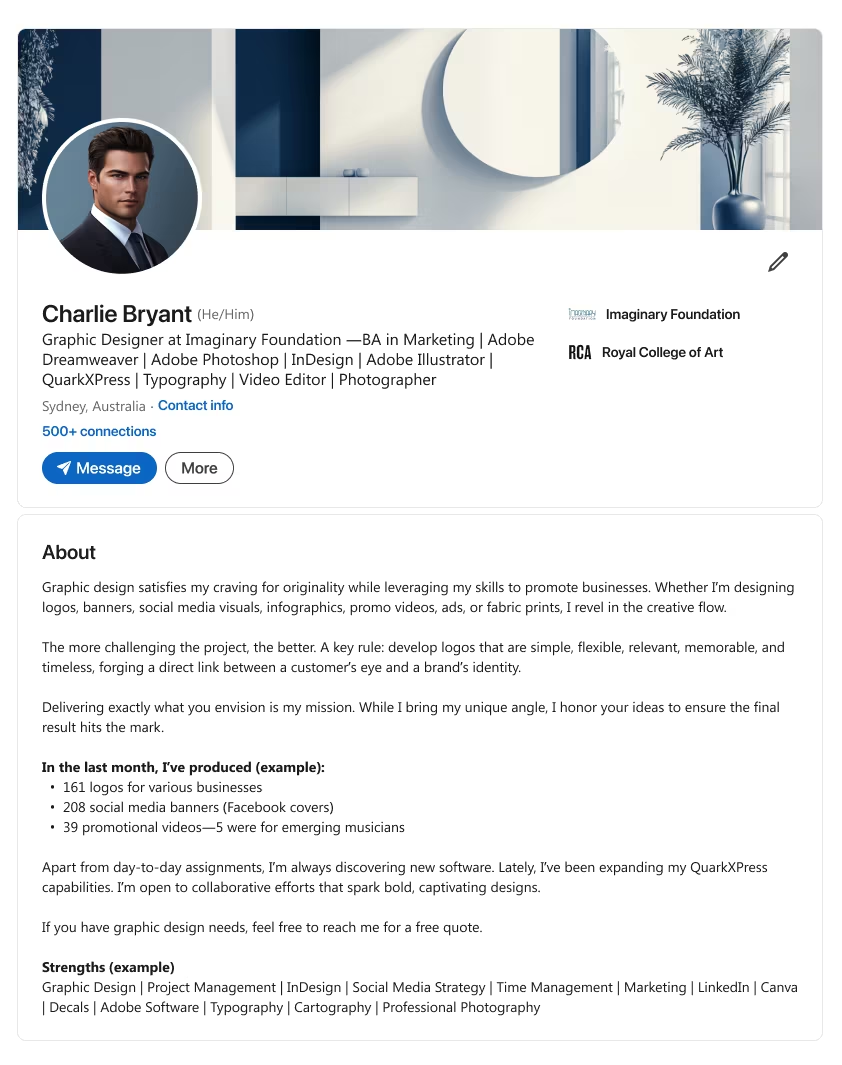
Notes
- Headline ~220 characters.
- Describe your drive to use graphic design for business promotion, from logos to ads. (See para #1)
- Explain your core design rule: simplicity, flexibility, and relevance for a strong brand identity. (See para #2)
- Show recent output (e.g., number of logos, banners, videos) that demonstrates your capacity. (See bullet list)
- End with a call to action offering quotes or collaboration for design projects.

What makes this style stand out?
- Uses a compelling personal story to shape your career path.
Who is it best for?
- Seasoned job seekers who turned unique life moments into professional growth.
Let Your Journey Shine
Craft a LinkedIn summary that’s memorable by weaving your past experiences into a cohesive narrative.
Hiring managers love authenticity. If you want them to see your professional life from a fresh angle, try these storytelling-based LinkedIn bio templates.
Template 1
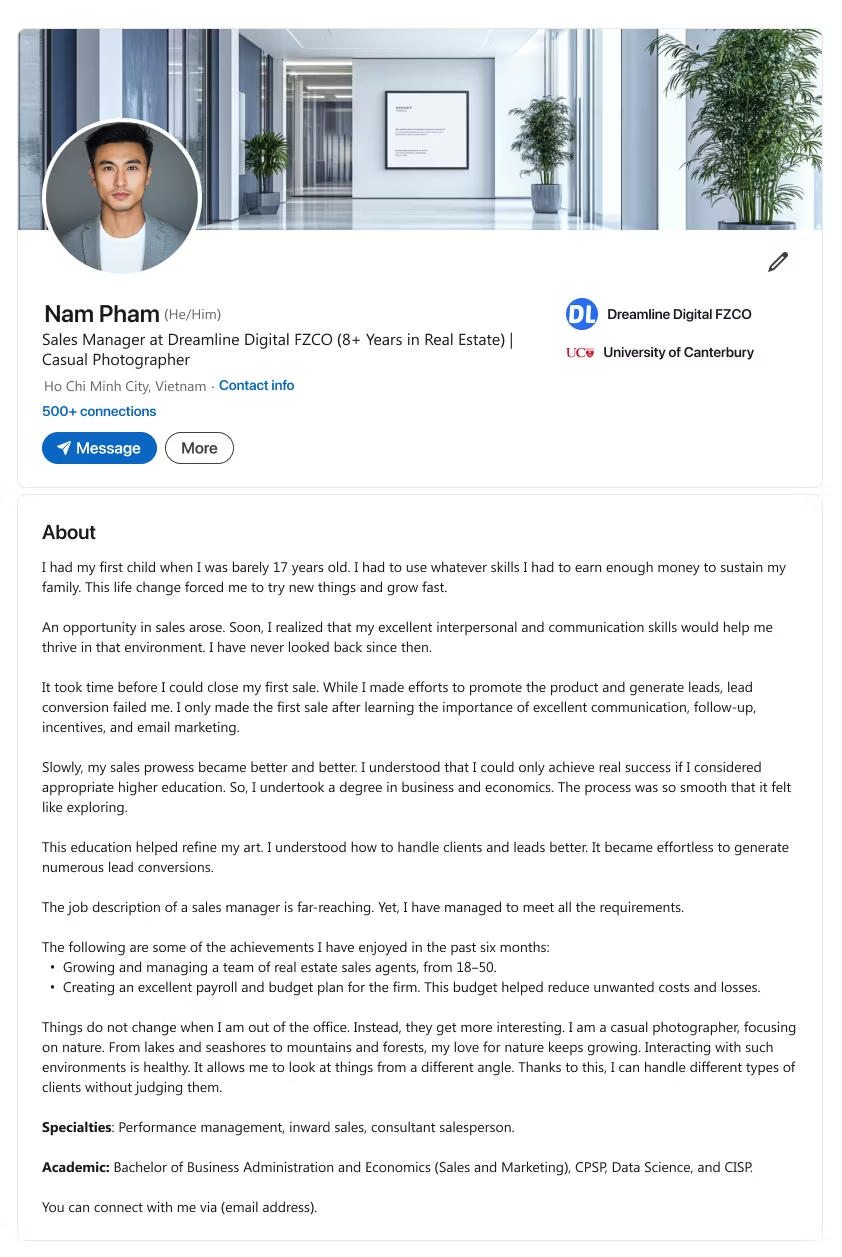
Notes
- Headline ~220 characters.
- Describe how a major life event or responsibility (e.g., parenting) sparked your growth. (See para #1)
- Share early sales hurdles and what you learned about communication or follow-up. (See para #3)
- Note any formal education or team growth milestones, proving ongoing development. (See para #5 & Achievements)
- Mention personal hobbies (e.g., photography) showing your unique perspective on clients. (See para #7)
- End with a call to action inviting connections or further contact.
Template 2
Notes
- Headline ~220 characters.
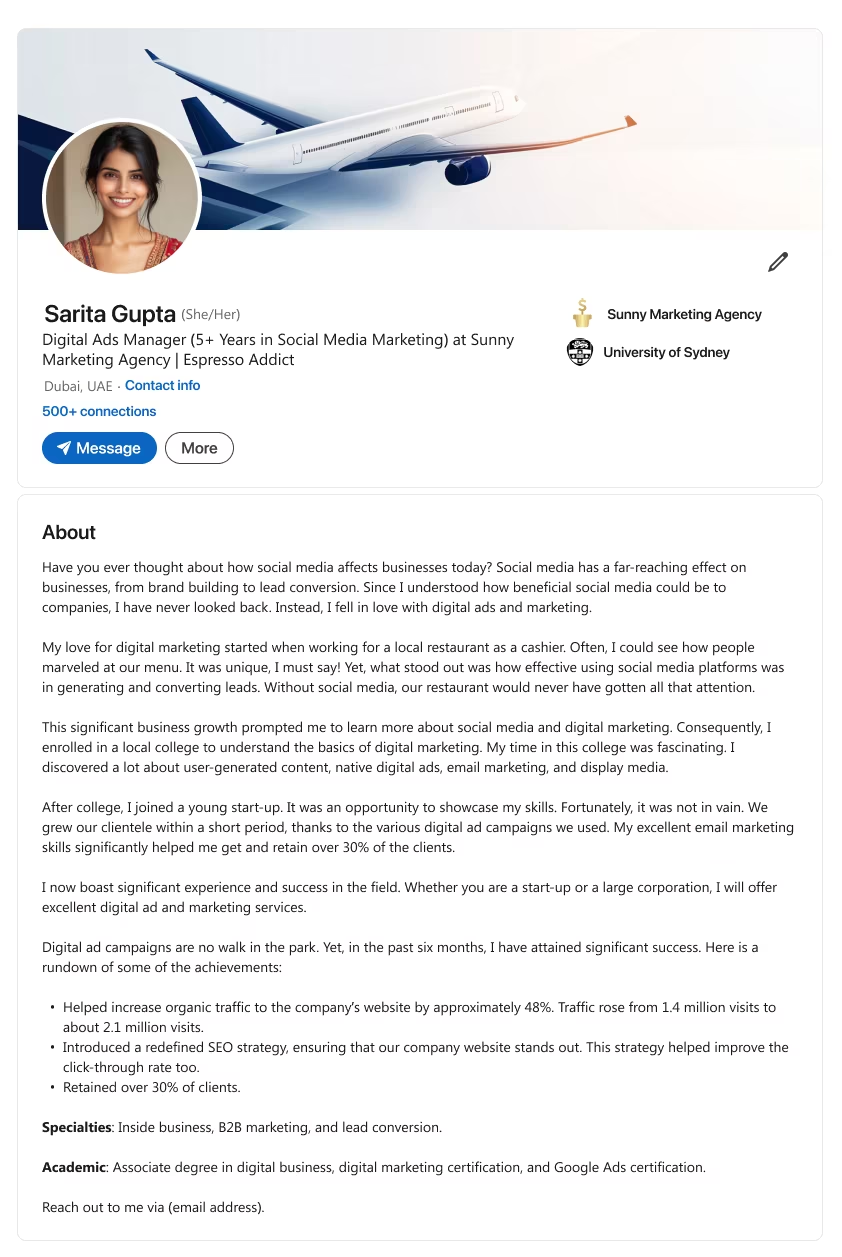
- Ask a thought-provoking question on how social media shapes modern businesses. (See para #1)
- Recall a humble start (e.g., working at a restaurant) that revealed social media’s power. (See para #2)
- Highlight successes like boosting traffic or refining SEO. (See achievements bullet)
- Stress your adaptability for both startups and big corporations. (See para #4)
- End with a call to action encouraging outreach for digital marketing help.
Template 3
Notes
- Headline ~220 characters.
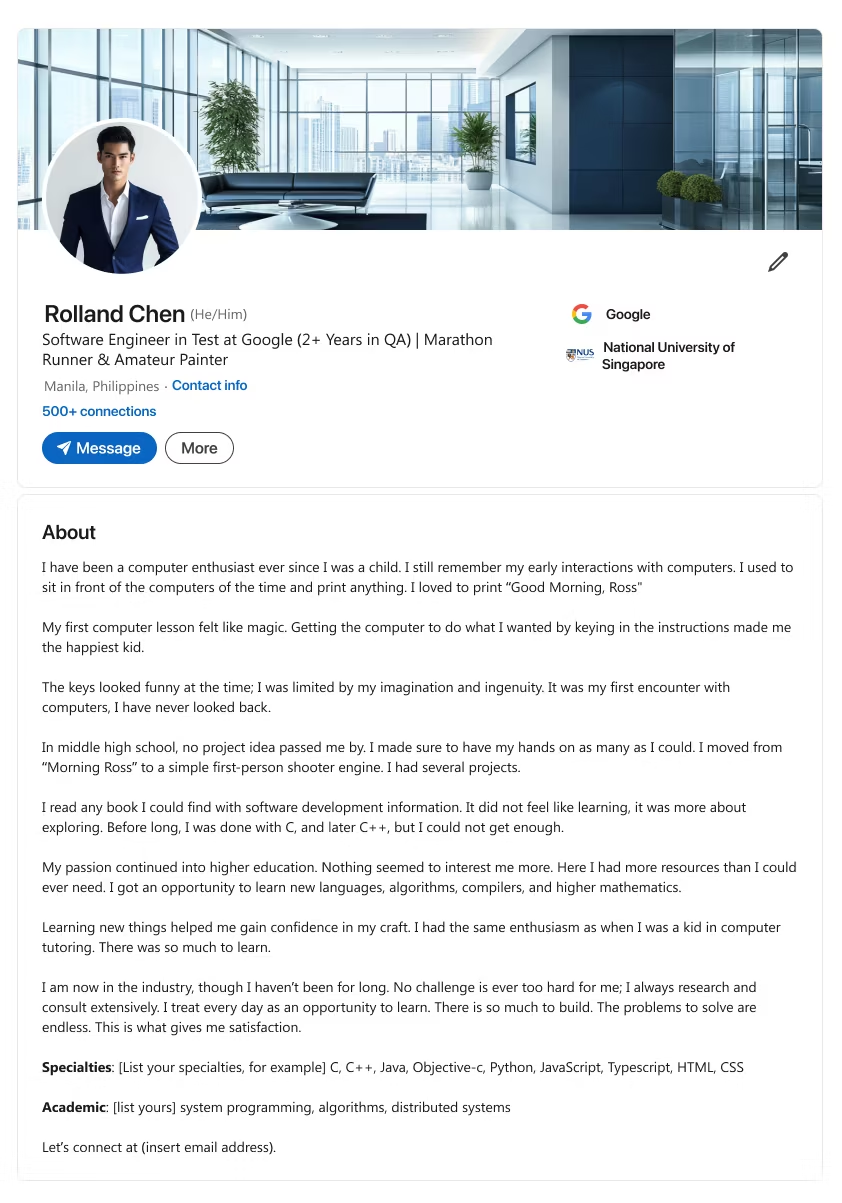
- Recall early childhood encounters with computers, sparking your tech fascination. (See para #1 & #2)
- Show how you seized every project opportunity in school, fueling ongoing curiosity. (See para #4)
- Note your drive to keep learning daily—consulting, researching, and building solutions. (See para #6 & #7)
- End with a call to action to collaborate on future software or QA challenges.
Template 4
Notes
- Headline ~220 characters.
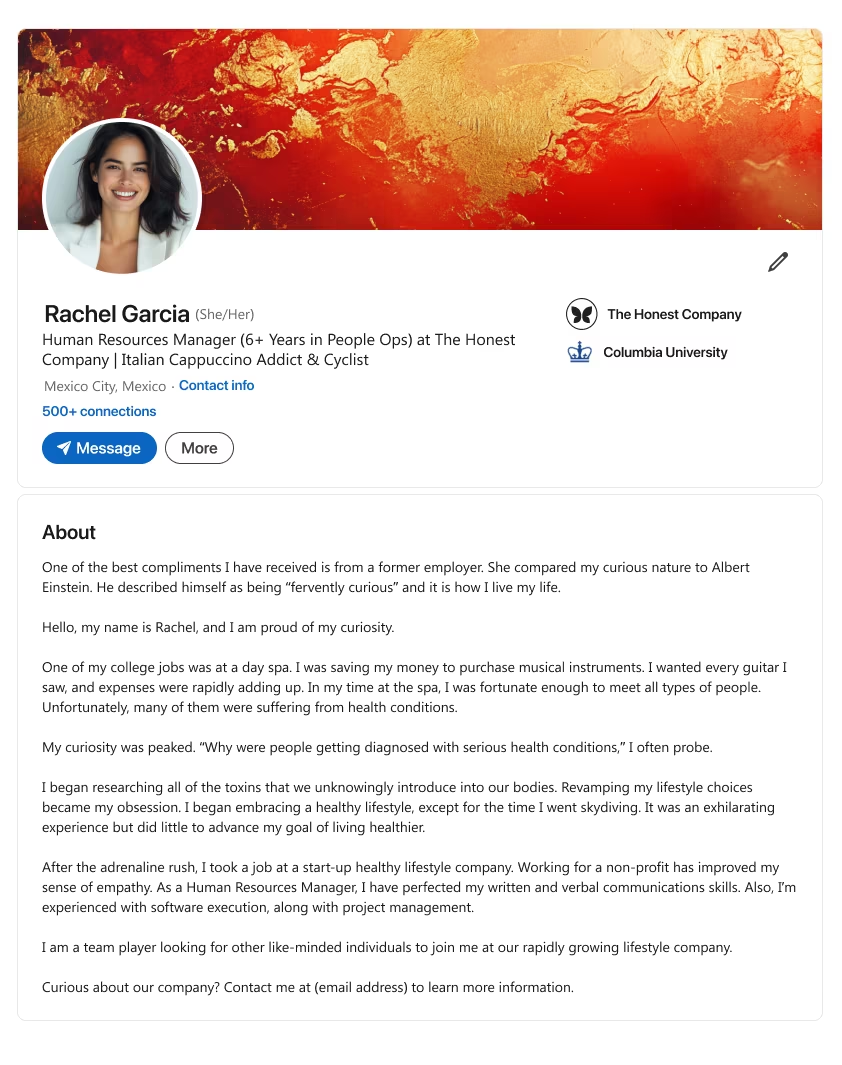
- Reveal a curious nature that mirrors famous thinkers. (See para #1)
- Describe how a past job inspired you to change lifestyle habits or explore new solutions. (See para #3)
- Explain how your empathy and communication shine in HR or project management roles. (See para #5)
- End with a call to action for those seeking a curious, collaborative team member.
Template 5
Notes
- Headline ~220 characters.
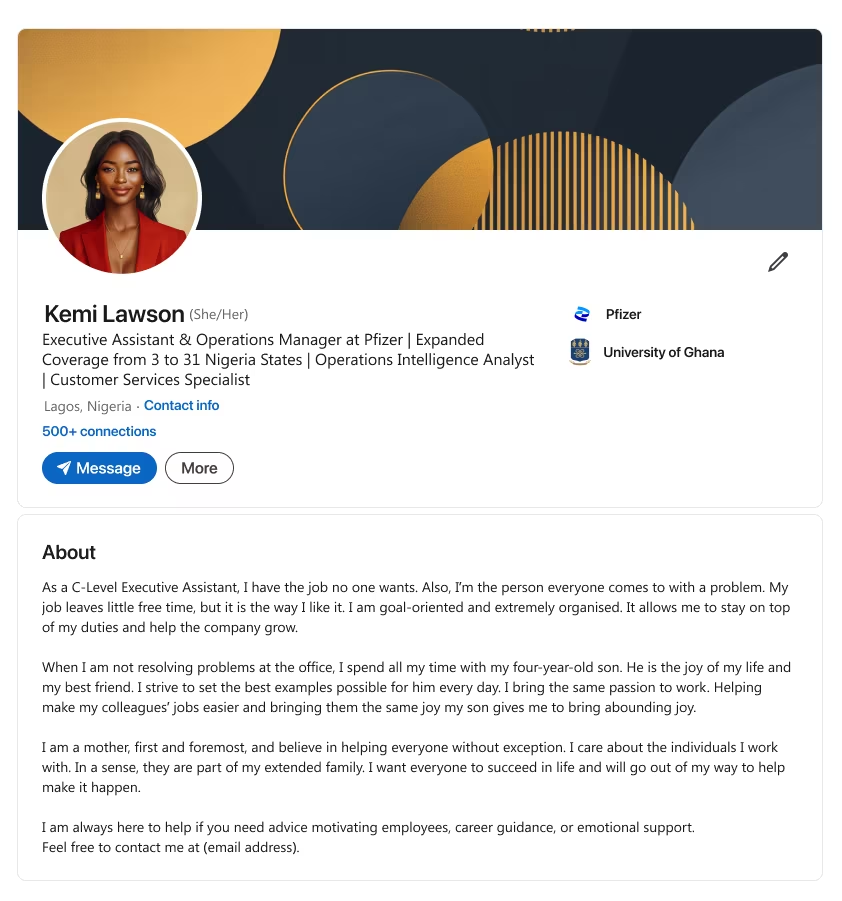
- Explain how you handle a demanding C-level role while being the go-to problem solver. (See para #1)
- Mention personal motivators (e.g., family or children) that shape your work passion. (See para #2)
- Show your nurturing side, treating colleagues like an extended family for overall success. (See para #3)
- End with a call to action offering help or guidance to anyone in need of motivation.

What makes this style stand out?
- Showcases entrepreneurial expertise, from launching ideas to scaling them.
Who is it best for?
- Freelancers, business owners, or talent development onboarding specialist types who thrive on innovation.
Seal the Deal
Your entrepreneur summary can illustrate how you solve problems for clients or investors. Mention your professional accomplishments, related passion, and vision.
Grab a template that positions your brand as unstoppable—perfect LinkedIn summary territory for forging new partnerships.
Template 1
Notes
- Headline ~220 characters.
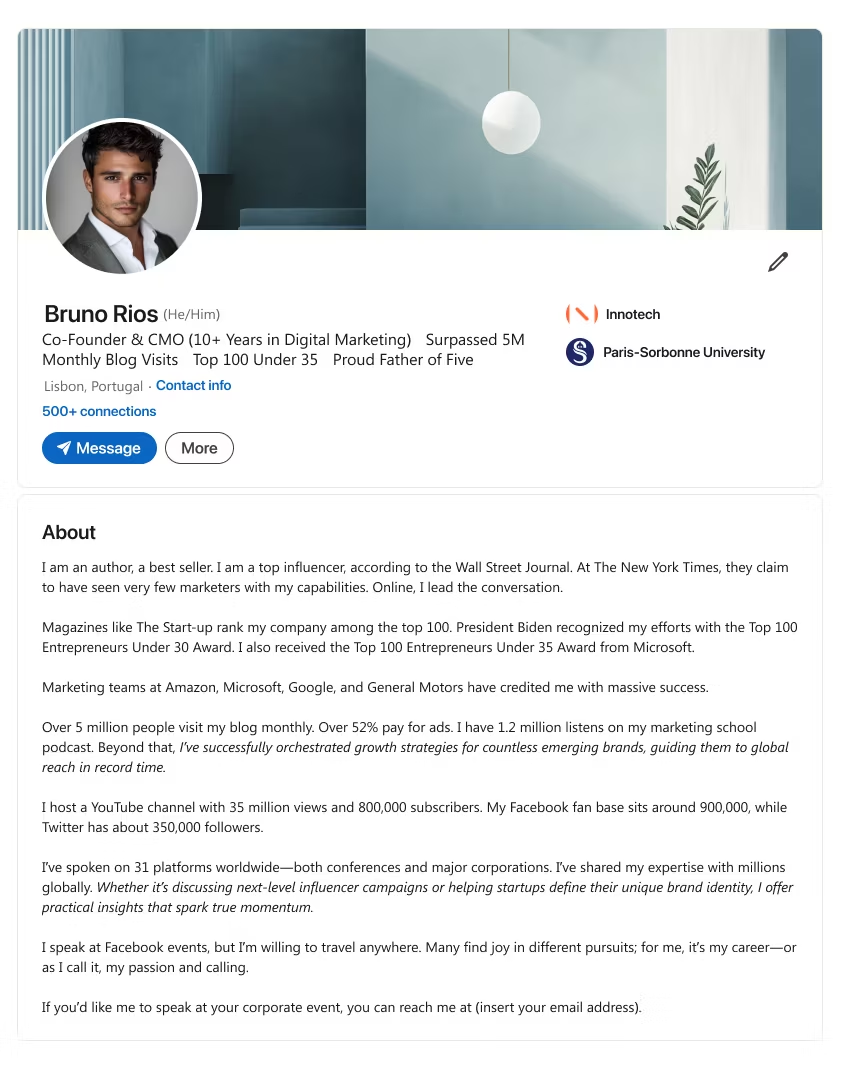
- List major accolades or mentions (e.g., top influencer, under 30/35 awards) that show thought leadership. (See para #1 & #2)
- Mention high-level stats (e.g., blog visits, podcast listens, YouTube subscribers) for credibility. (See para #4 & #5)
- Highlight global speaking engagements or brand collaborations that showcase your reach. (See para #6)
- End with a call to action inviting event planners or corporations to book you.
Template 2
Notes
- Headline ~220 characters.
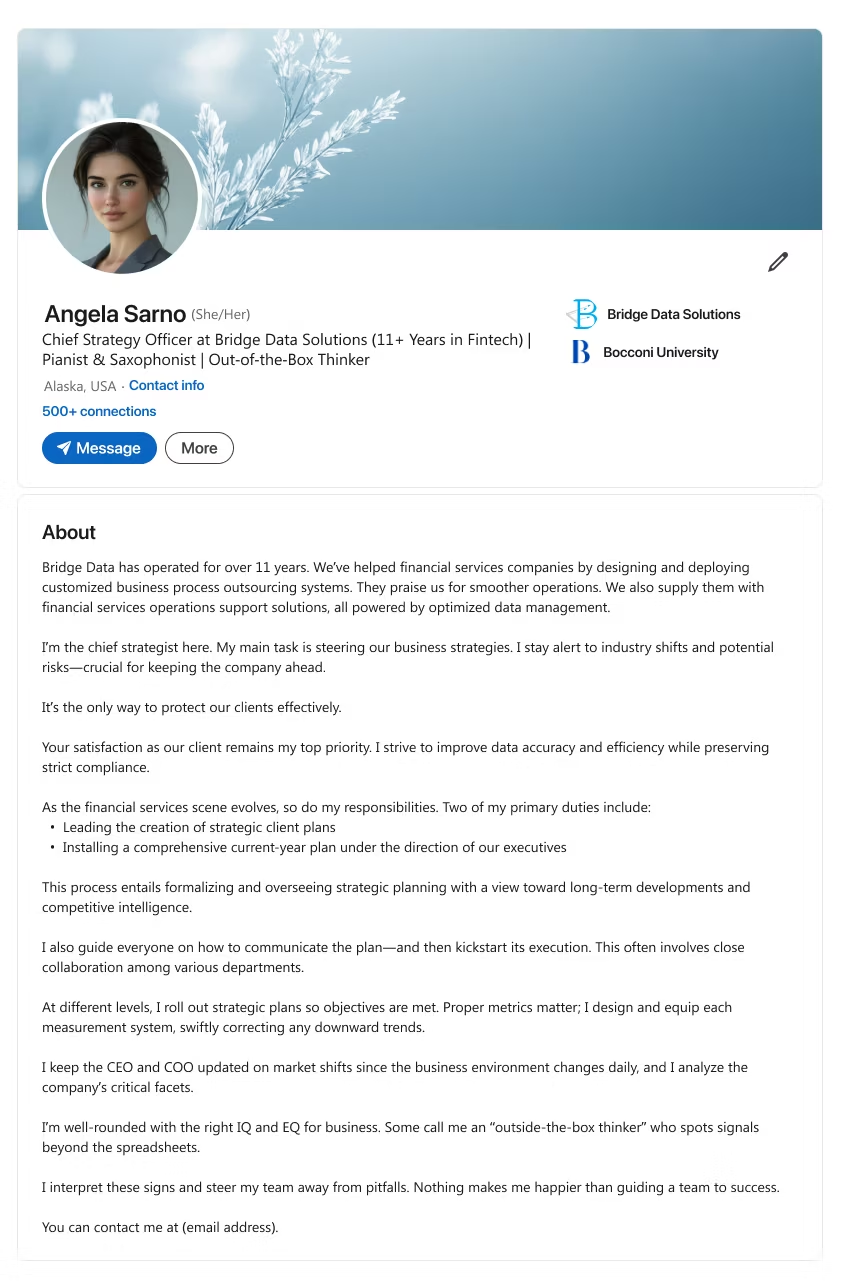
- Explain how your company assists a specific sector (e.g., financial services) with optimized data or processes. (See para #1)
- Show your strategic mindset—monitoring shifts, guiding client plans, and preserving compliance. (See para #2 & #5)
- Note how you coordinate different teams to execute metrics or correct downward trends. (See para #6)
- End with a call to action for potential clients to reach you for business synergy.
Template 3
Notes
- Headline ~220 characters.
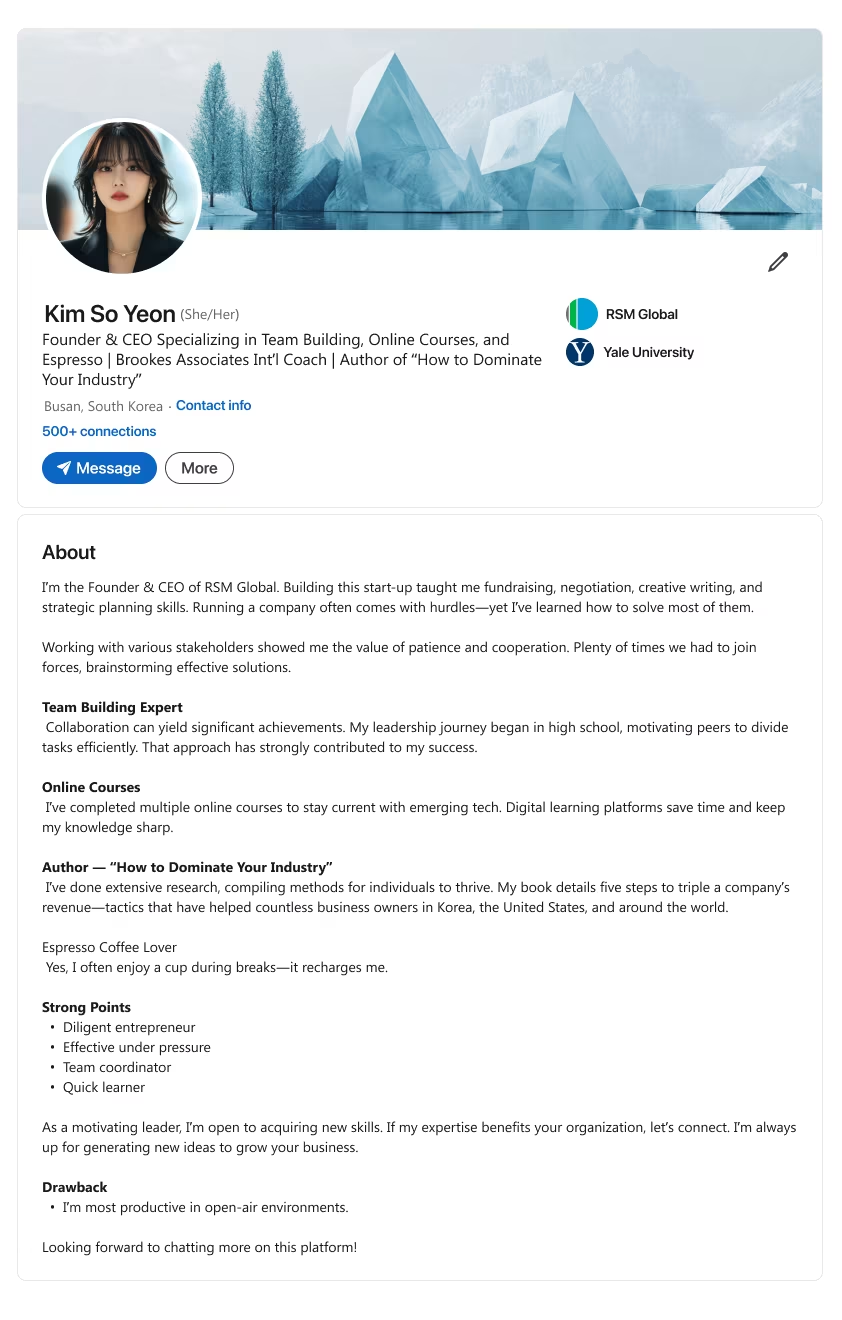
- Describe your startup experience—fundraising, negotiation, planning—and how you overcame hurdles. (See para #1)
- Emphasize team building from early leadership to current group successes. (See “Team Building Expert”)
- Mention ongoing learning or authoring books that reveal practical ways to boost revenue. (See “Online Courses” & “Author”)
- End with a call to action inviting organizations to tap your entrepreneurial know-how.
Template 4
Notes
- Headline ~220 characters.
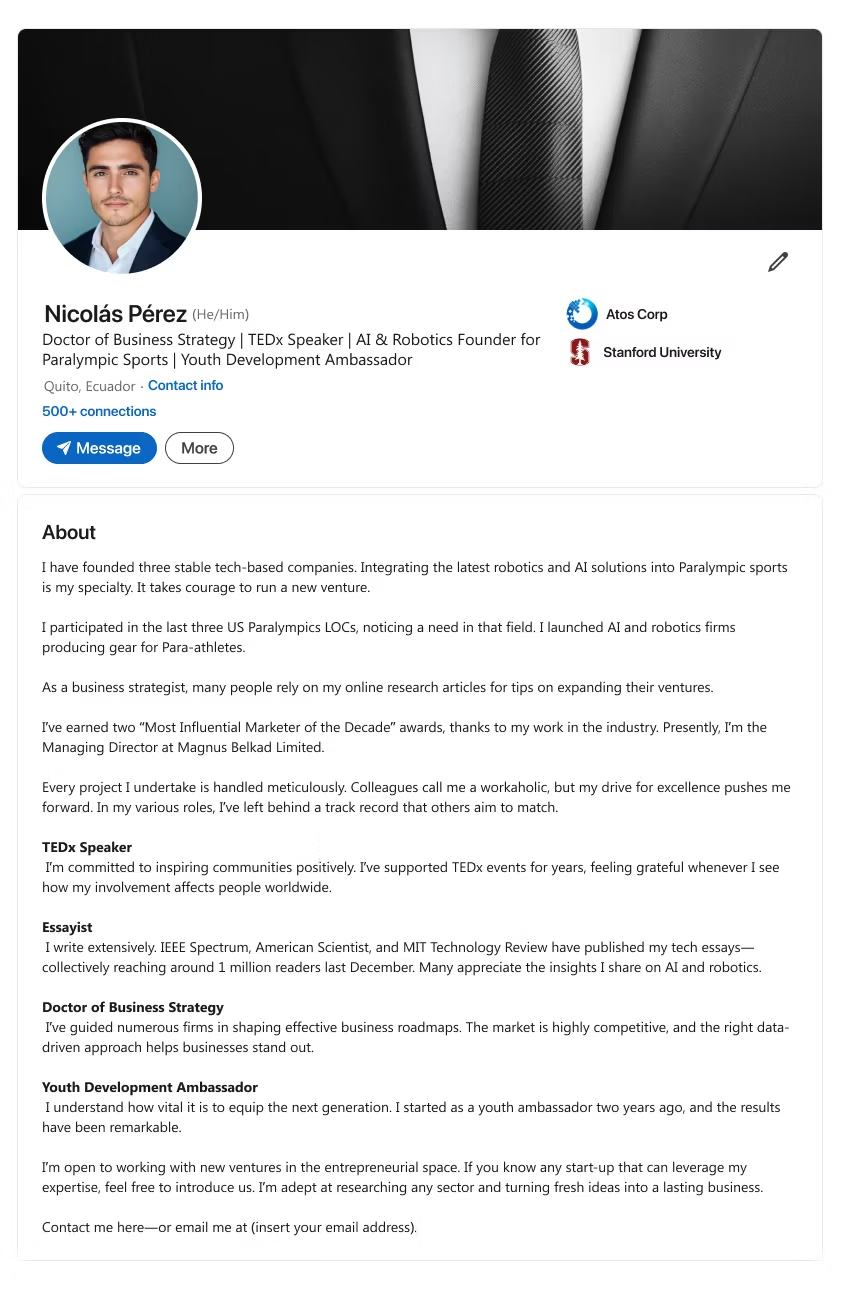
- Spotlight your tech-based companies, focusing on AI, robotics, or another innovative niche. (See para #1 & #2)
- Mention key recognitions or awards that boost your authority in the field. (See para #3)
- Show your TEDx or public speaking experience, along with published essays or articles. (See para #4 & #5)
- End with a call to action inviting startups or founders to leverage your strategic guidance.
Template 5
Notes
- Headline ~220 characters.
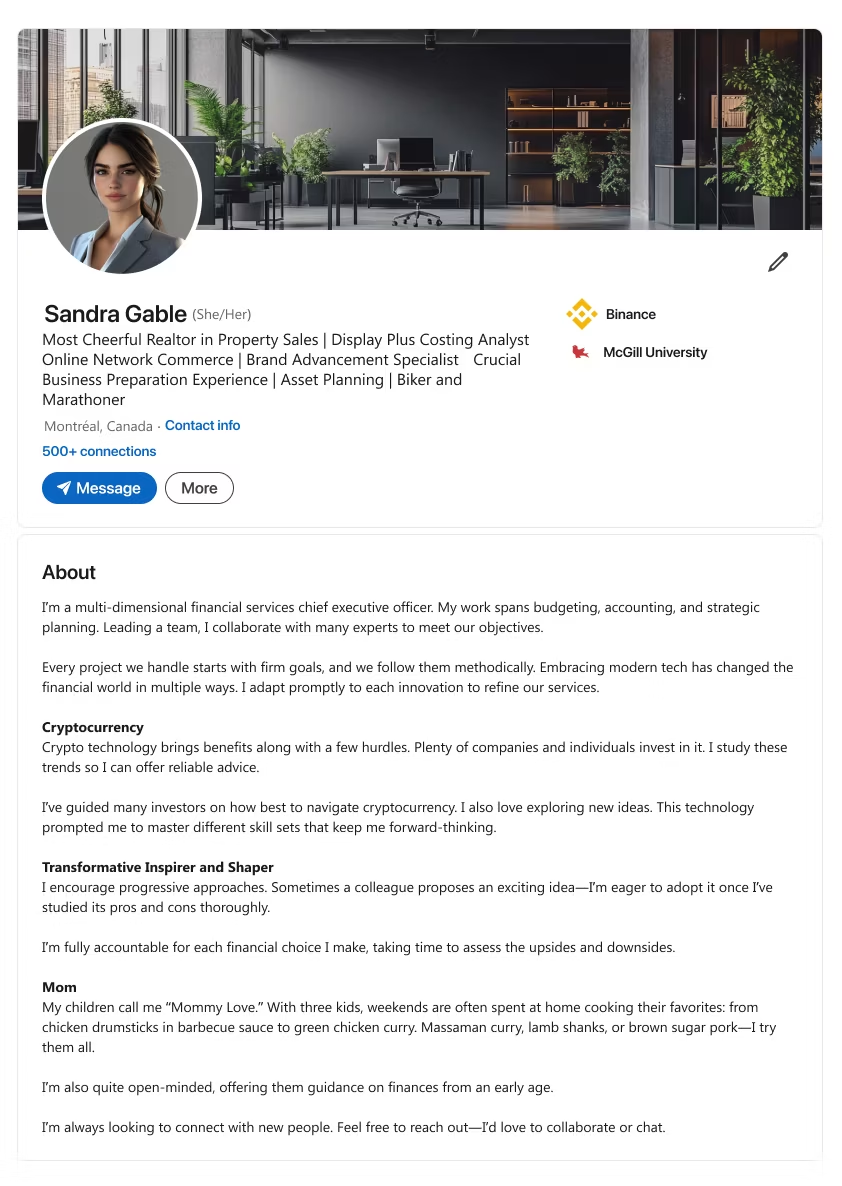
- Depict your multi-faceted role in financial services, from budgeting to strategic planning. (See para #1)
- Explain how you handle modern trends, such as cryptocurrency, and navigate potential hurdles. (See “Cryptocurrency”)
- Mention your focus on adopting new ideas while carefully weighing pros and cons. (See “Transformative Inspirer and Shaper”)
- End with a call to action welcoming collaboration or conversation on finance and growth.

What makes this style stand out?
- Displays intellectual insights and leadership traits that spark action.
Who is it best for?
- Senior account manager or senior financial analyst types, coaches, or executive consultants.
Inspire and Influence
A robust thought leader profile can attract speaking gigs, consulting calls, or advisory roles.
Use these LinkedIn summaries to reflect your professional history of success, highlight your personal interests, and demonstrate why you’re a go-to authority in your field.
Template 1
Notes
- Headline ~220 characters.
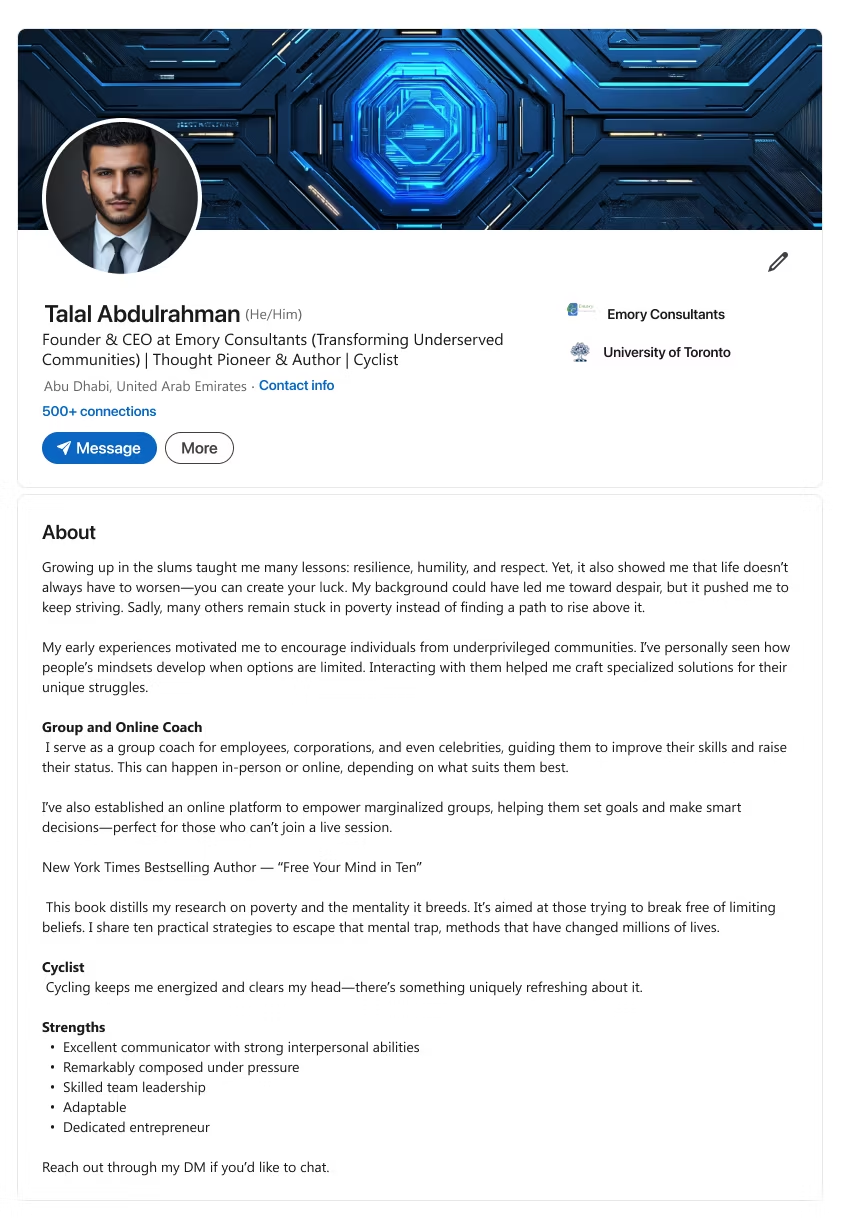
- Describe a humble or challenging background that shapes your mission to uplift others. (See para #1)
- Show how you coach groups or individuals online, bridging gaps for underprivileged communities. (See “Group and Online Coach”)
- Mention published works or bestsellers that define your thought leadership. (See “New York Times Bestselling Author”)
- End with a call to action urging readers to DM for mindset shifts or deeper talks.
Template 2
Notes
- Headline ~220 characters.
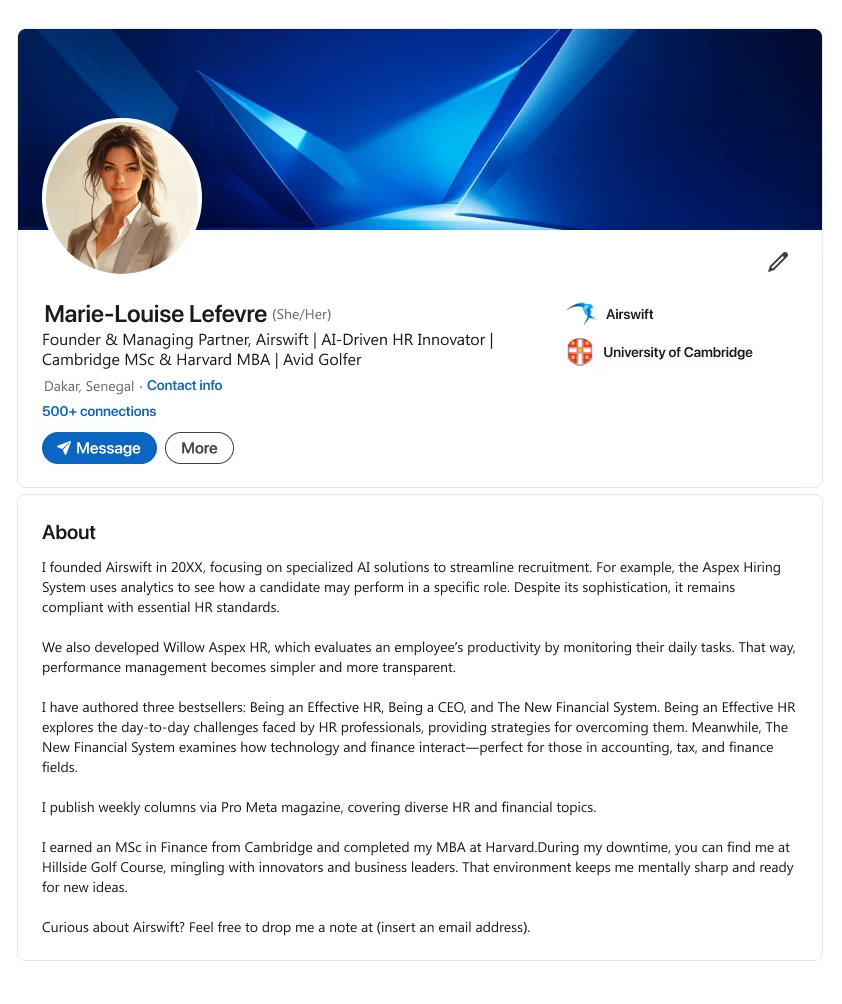
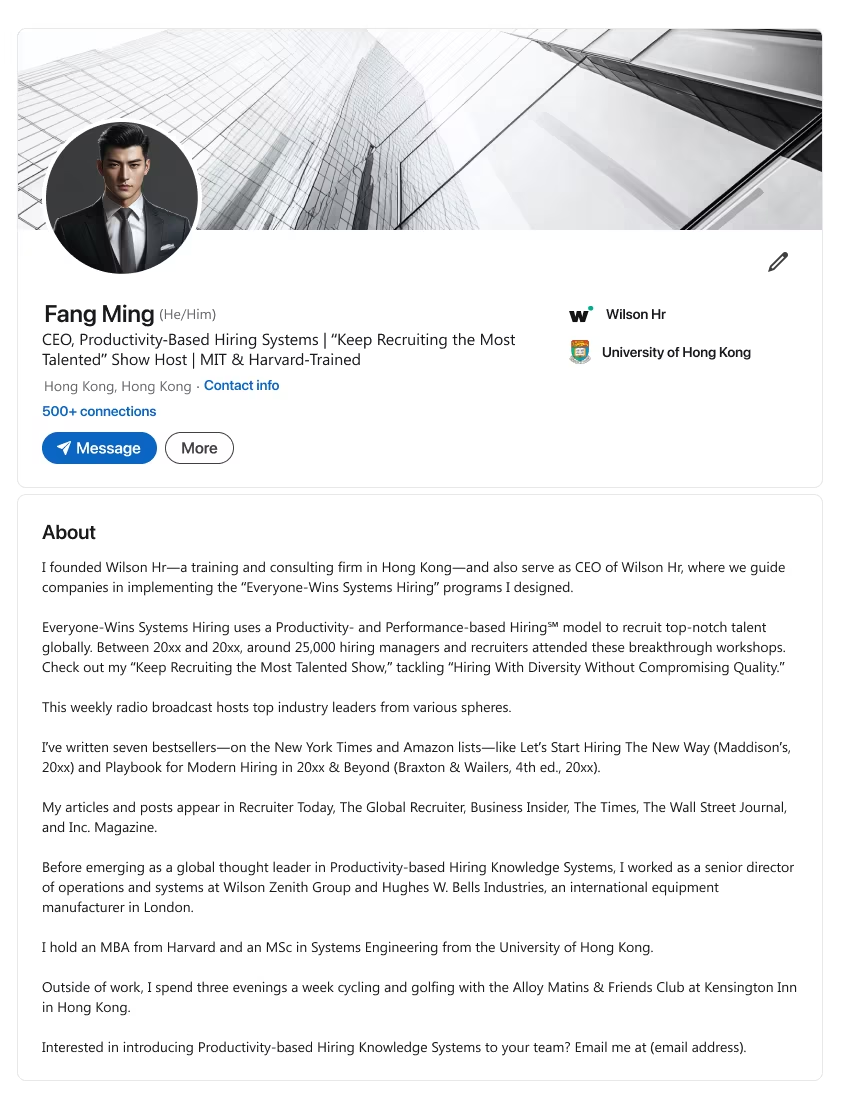
- Explain how you founded or led an AI-based system that improves operations (for example, hiring workflows). (See para #1)
- List top bestsellers or written works that confirm your expertise. (See para #2)
- Highlight advanced degrees or specific achievements (for example, MSc Finance, Harvard MBA). (See para #4)
- End with a call to action, possibly inviting golf-course networking or related conversations.
Template 3
Notes
- Headline ~220 characters.
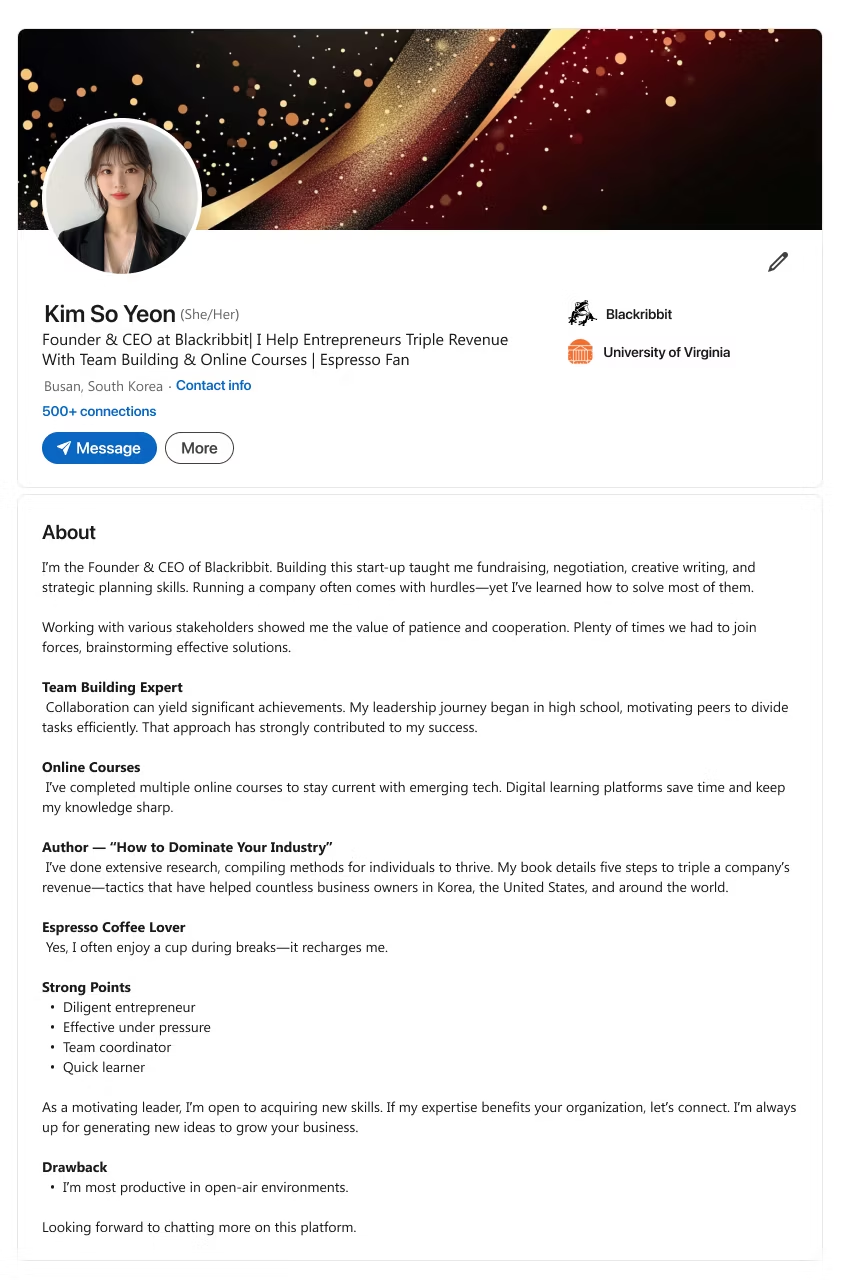
- Recount the journey of founding a company and building key skills (for example, fundraising and negotiations). (See para #1)
- Emphasize your approach to team-building and dividing tasks efficiently. (See “Team Building Expert”)
- Mention any authored resource that outlines clear steps to multiply revenue. (See “Author”)
- End with a call to action welcoming collaboration or skill-sharing for business growth.
Template 4
Notes
- Headline ~220 characters.
- Introduce a signature system or methodology you developed for a key industry (for example, hiring). (See para #2)
- Reference a media show, conference, or article that helped spread your approach widely. (See para #3 & #5)
- Cite any bestselling works that clearly outline your unique model. (See para #4)
- End with a call to action inviting leaders to adopt or learn your strategy.
Template 5
Notes
- Headline ~220 characters.
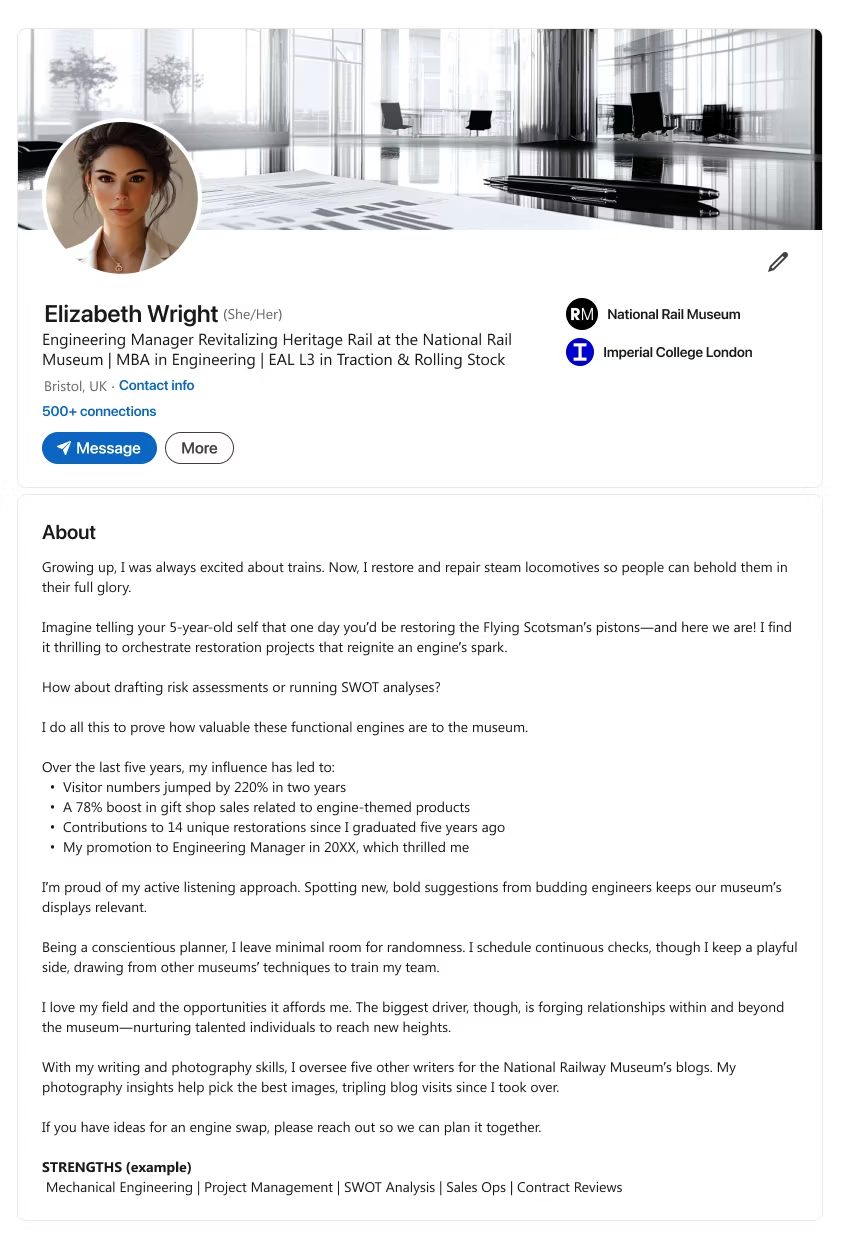
- Explain how an early interest or childhood passion evolved into a unique professional path. (See para #1)
- Show notable results or stats (for example, large visitor boosts, multiple restorations). (See para #4)
- Display soft skills or planning approaches that keep projects on track. (See para #5 & #6)
- End with a call to action for anyone who wants to brainstorm future initiatives or swaps.

What makes this style stand out?
- Underscores high-level leadership chops and advanced industry expertise.
Who is it best for?
- People seeking top management or new board opportunities.
Lead from the Top
Position your LinkedIn profile summary as an executive powerhouse. Whether you’re a senior financial analyst or a talent development onboarding specialist, show your strategic edge and cross-functional know-how.
Use these “senior/executive” summary examples to engage potential employers fast.
Template 1
Notes
- Headline ~220 characters.
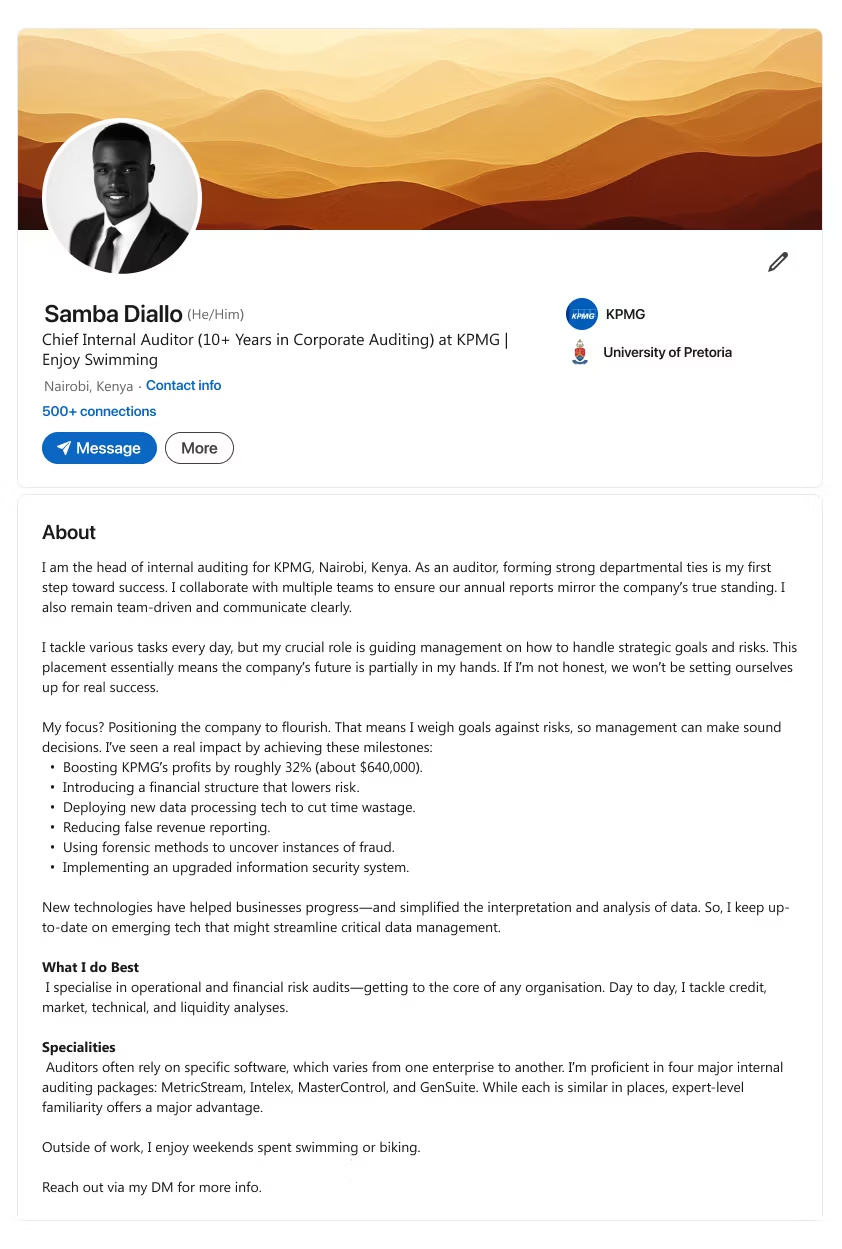
- Focus on building strong departmental or cross-team ties in a senior auditing role. (See para #1)
- Mention guiding management on strategy and risk to help shape company direction. (See para #2)
- List major milestones achieved (for example, profit boosts, new technology adoption, fraud reduction). (See bullet list)
- Note your expertise across multiple auditing or compliance tools. (See “Specialities”)
- End with a call to action prompting connections for more information.
Template 2
Notes
- Headline ~220 characters.
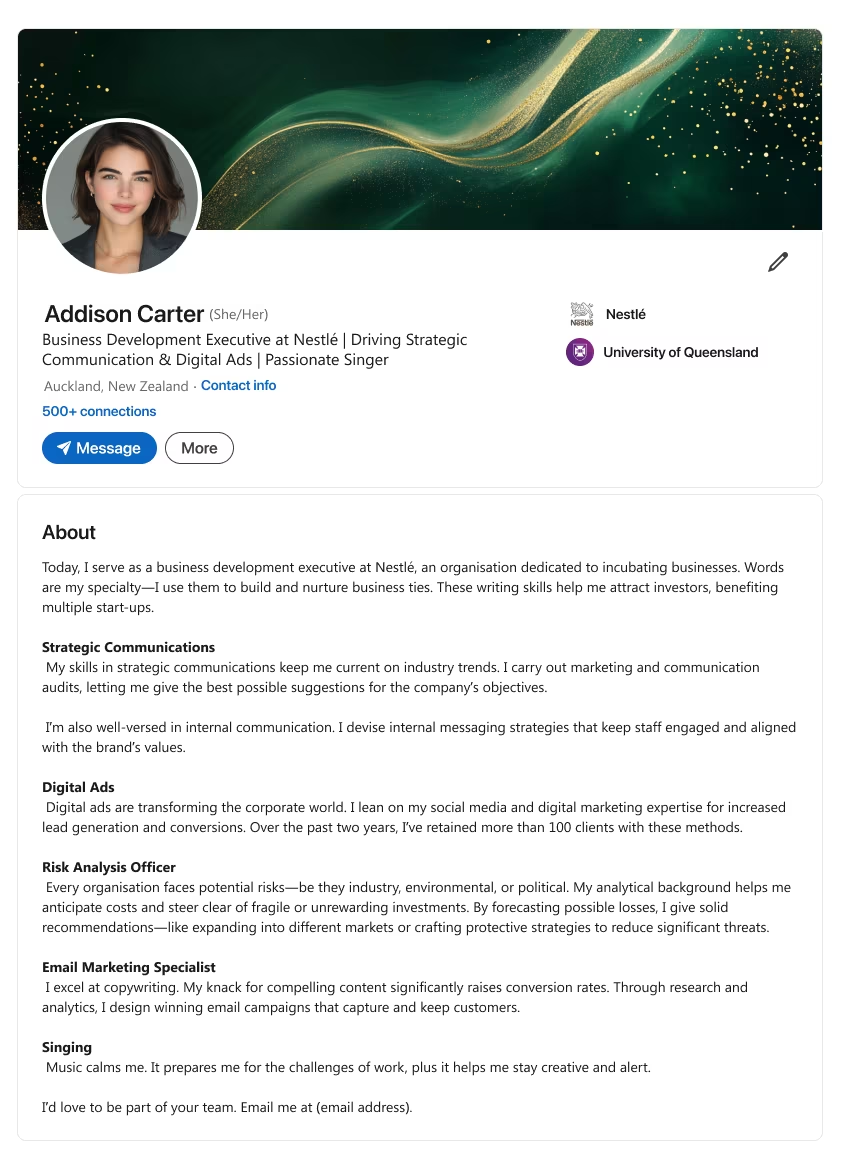
- Show how strong communication or writing ability can attract investors and support growth. (See para #1)
- Explain your background in strategic communication, digital advertising, or internal messaging. (See “Strategic Communications” & “Digital Ads”)
- Highlight risk analysis skills used to identify potential pitfalls or cost-saving opportunities. (See “Risk Analysis Officer”)
- End with a call to action inviting interest in your blend of strategy and creativity.
Template 3
Notes
- Headline ~220 characters.
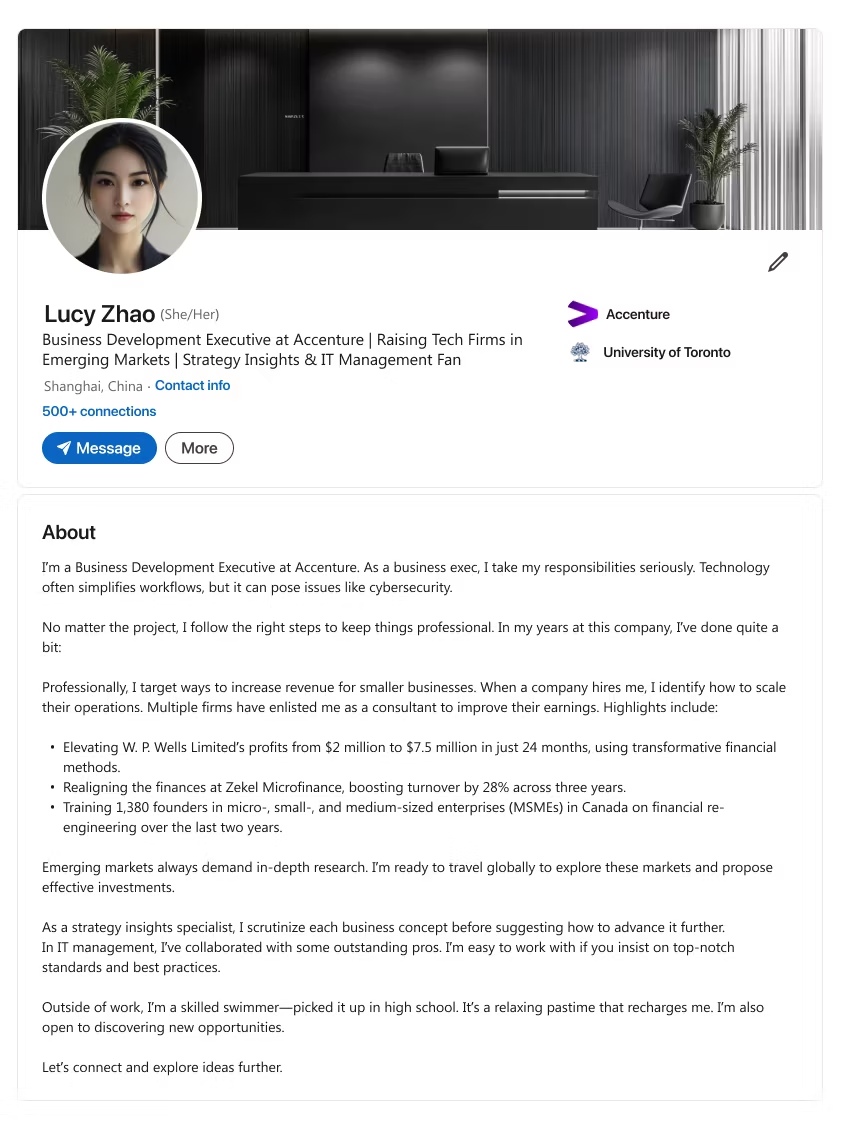
- State that you handle business development, noting how technology can help or hinder operations. (See para #1)
- Share big outcomes (e.g., revenue boosts, founder training) that prove your consultative value. (See bullet list)
- Emphasize your global research approach and readiness to adopt best practices. (See para #3)
- End with a call to action inviting connection for fresh insights or market exploration.
Template 4
Notes
- Headline ~220 characters.
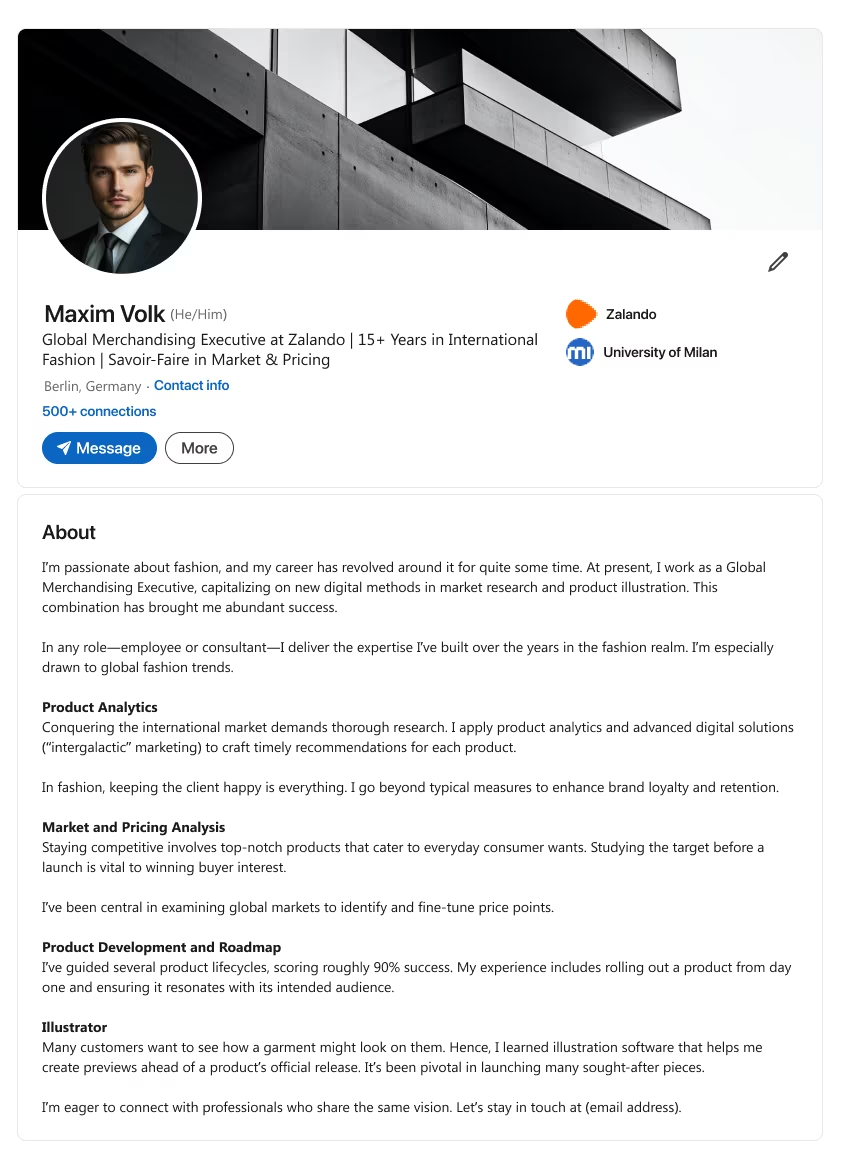
- Show your industry passion by blending fashion with digital market research and product illustration. (See para #1)
- Stress advanced analytics and marketing methods that keep clients satisfied. (See “Product Analytics”)
- Explain your approach to pricing, brand retention, and delivering strong results across product lifecycles. (See “Market and Pricing Analysis” & “Product Development”)
- End with a call to action suggesting collaboration opportunities or product previews.
Template 5
Notes
- Headline ~220 characters.
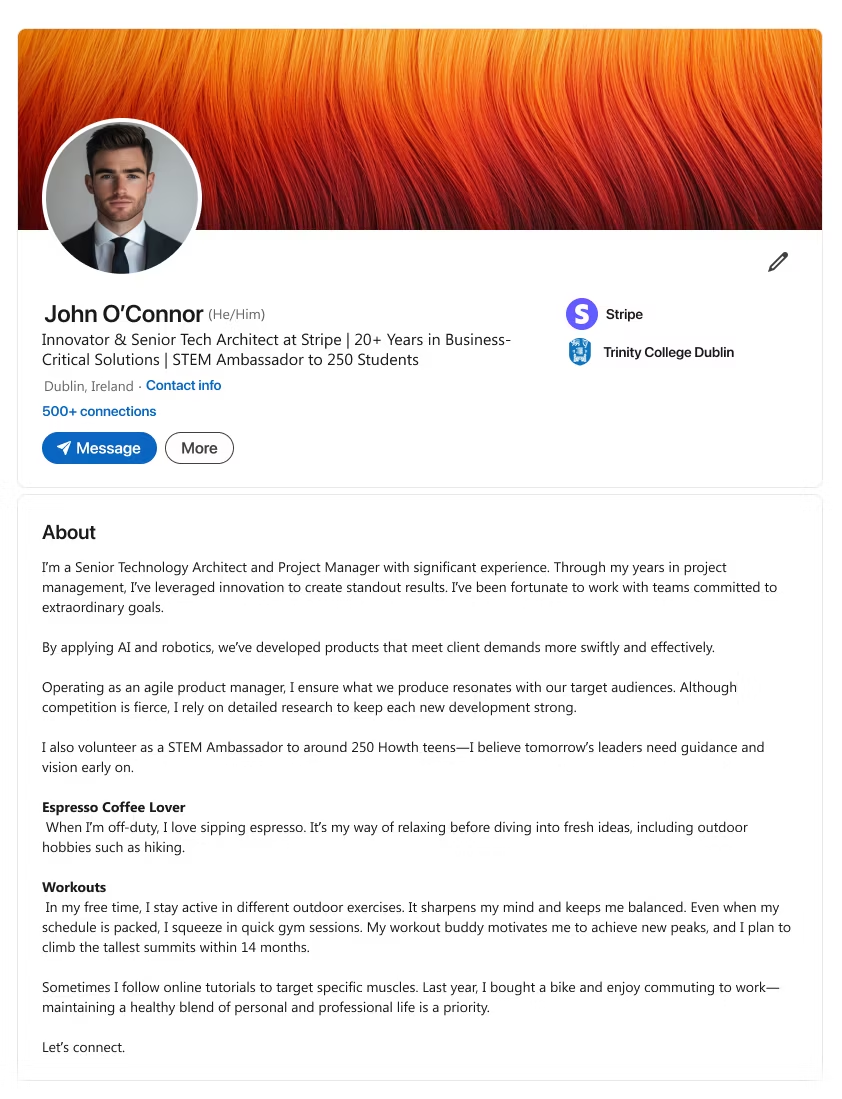
- Note how you leverage AI or robotics in a senior architect role to meet evolving client needs. (See para #1)
- Show your agile or research-based working style that keeps new developments competitive. (See para #2)
- Mention volunteer work or personal interests that help balance high-intensity work demands. (See “Espresso Coffee Lover” & “Workouts”)
- End with a call to action inviting conversations around new tech solutions or shared hobbies.
About LinkedIn Profile
F.A.Qs
People skip Projects, Licenses, or “Interests.” These sections let you show innovative solutions you’ve led, highlight personal interests, or mention side gigs that shape your professional life. Any chance to display a relevant skill or related passion can set you apart, especially if you’re in software development, social media management, or career coaching. Recruiters often notice your “extra” roles. One talent development onboarding specialist said adding a Project section tripled her inbound messages.
People think the main photo is enough and ignore the background. A cover image can quickly highlight your personal brand or professional accomplishments. For instance, a simple graphic that matches your industry, such as software development, social media management, or talent development and onboarding specialist, signals to your target audience that you’re serious about your field. Adding a relevant background often leads to more connections from sales professionals or recruiters searching for fresh talent. Think of it as visual proof you’ve put genuine care into your LinkedIn public status.
Many see it as just a line under their name. An optimized headline pops up in search results and says more than just your current job title. It’s a to-do list item you can’t skip if you want recruiters to notice you. Spark interest with compelling language that ties into your personal story, like “Senior Financial Analyst driving 20% cost reduction,” or “Career coach turning job seekers into success stories.” Users who mention a track record of results or a relevant job title in the headline often see a 3x jump in profile clicks.
Summaries often become a dull bio. A robust LinkedIn summary goes beyond listing tasks; it includes specific examples of your achievements, soft skills, and strategic thinking. You can even spin your experiences as a talent development onboarding specialist or dynamically discuss a current job. Aim for an excellent summary that resonates: short paragraphs, maybe a few bullet points, and a clear sense of your professional history plus personal interests. Many professionals who used our LinkedIn summary templates reported more direct messages from potential employers within two weeks.
Worry about clutter or looking outdated. Use it as a curated snapshot. Spotlight professional accomplishments and relevant previous employers. This helps hiring managers quickly see your track record. If you’re a senior financial analyst or sales representative, list your biggest wins or significant achievements at the top. Minimizing fluff keeps your profile scannable. We’ve seen job seekers trim old summer jobs or non-essential bullet points and instantly appear more polished to prospective employers.
People think they’re too easy to fake. Endorsements confirm your soft skills or specialized job descriptions knowledge. Recommendations from previous employers or clients carry significant weight, serving as mini-testimonials of your professional experience. Encourage contacts to detail your career aspirations and track record. The more credible voices you have behind you, the stronger your trust factor. Sincere endorsements and personal notes from a senior account manager or peer-level colleagues confirm your authenticity to potential employers.
Fear of not being “literary” enough. Sharing short, relevant insights positions you as a thought leader or at least an engaged professional with strategic thinking. Whether it’s about cutting-edge technology, a career path story, or local knowledge of your industry, a quick post can spark DMs from hiring managers. Another plus: more keywords that align with your own LinkedIn summary or professional life. LinkedIn’s algorithm favors active content creators, often boosting your LinkedIn profile in more feeds.
They’re unsure if it’s worth fussing over a short link. A custom URL looks more polished and professional than the random string LinkedIn assigns. It’s easier to remember and share, especially in a well-written summary or on your resume. This small step helps you stand out in job interviews and any personal branding effort, such as including it on a business card. We’ve seen prospective employers comment favorably when they see a neat, custom LinkedIn link. It shows attention to detail, a trait many hiring managers value.
People see them as time sinks. Relevant groups can connect you with sales professionals, career advice experts, or innovative solutions enthusiasts in your field. Engaging there showcases your expertise, whether it’s software development or marketing. You’ll appear more in search results for that group’s members and stand out as an active contributor. We’ve seen job seekers land direct referrals from group discussions alone. Groups can be gold for building genuine, personal touch relationships.
People wonder if adding personal details can strengthen a good LinkedIn summary or deter recruiters.
A hint of personality can foster a personal connection, especially if it aligns with your career story. However, keep it job-relevant. Highlight hobbies or side projects only if they reflect traits that boost your career success. Ensure your LinkedIn profile summary is free of grammatical errors to appear polished and professional.
Many have found that weaving in a bit of personal detail, such as a key life event or volunteer experience, creates a bond with hiring managers without making the summary read like a diary. Just keep it succinct and relevant to your next job opening goals.
People doubt whether a free LinkedIn profile alone can stand out in a sea of applicants.
Optimizing your LinkedIn presence can be achieved without fancy upgrades, as long as your LinkedIn profile summary is concise, showcases your results, and includes keywords that recruiters need. A good LinkedIn summary is your mini-pitch: clearly outline your strengths, correct all grammatical errors, and strive for clarity. Doing this alone can dramatically increase visibility for the next job opening that matches your skill set.
We’ve seen hundreds of job seekers create a strong LinkedIn profile with zero extra costs, just by refining their summaries and focusing on their unique accomplishments. Consistency, clarity, and authenticity are the keys to real success. No premium subscription required.